
.png)
Imagine wrapping up your workday early because technology takes care of the boring parts for you. The right automation and workflow tools can free up hours, letting you focus on what actually matters. No more chasing paperwork or double-checking every tiny detail.
This guide will show you how to take control of your time and get the most out of every day. You’ll learn what automation and workflow mean, why they matter, and how to use them to solve real problems. We’ll cover key benefits, simple steps to get started, and the latest trends you need to know.
Ready to escape the daily grind and get your time back? Let’s dive in.
What Is Automation and Workflow?
Imagine if you could delegate those repetitive computer tasks to a machine. That's the power of automation and workflow.
Automation means using technology to carry out tasks with little or no human input. Think of a system that sends an email reminder each time an invoice is overdue—no one needs to click send.
Workflow is the series of steps or actions that move a task from start to finish. For example, onboarding a new employee involves collecting documents, setting up accounts, and scheduling training. A clear workflow shows who does what, and when.
These two concepts work hand in hand. When you combine automation and workflow, you remove manual effort and cut down on mistakes. Compared to doing things by hand, automated systems finish jobs faster and make fewer errors.
Let’s look at the difference between workflow automation and robotic process automation (RPA). Workflow automation manages a whole process, like moving a new hire from paperwork to training. RPA, on the other hand, focuses on mimicking simple, repetitive actions—such as copying data from one form into another. If you want more detail, check out this Workflow automation deep dive.
You’ll see automation and workflow in action every day. A business might use automation to welcome new clients, process invoices, or handle support tickets. According to Slack, employees spend about a third of their time on low-priority manual tasks. That’s a lot of wasted energy.
Best of all, automation and workflow aren’t just for large companies. Small businesses can use these tools to save time, cut down on errors, and focus on work that matters.
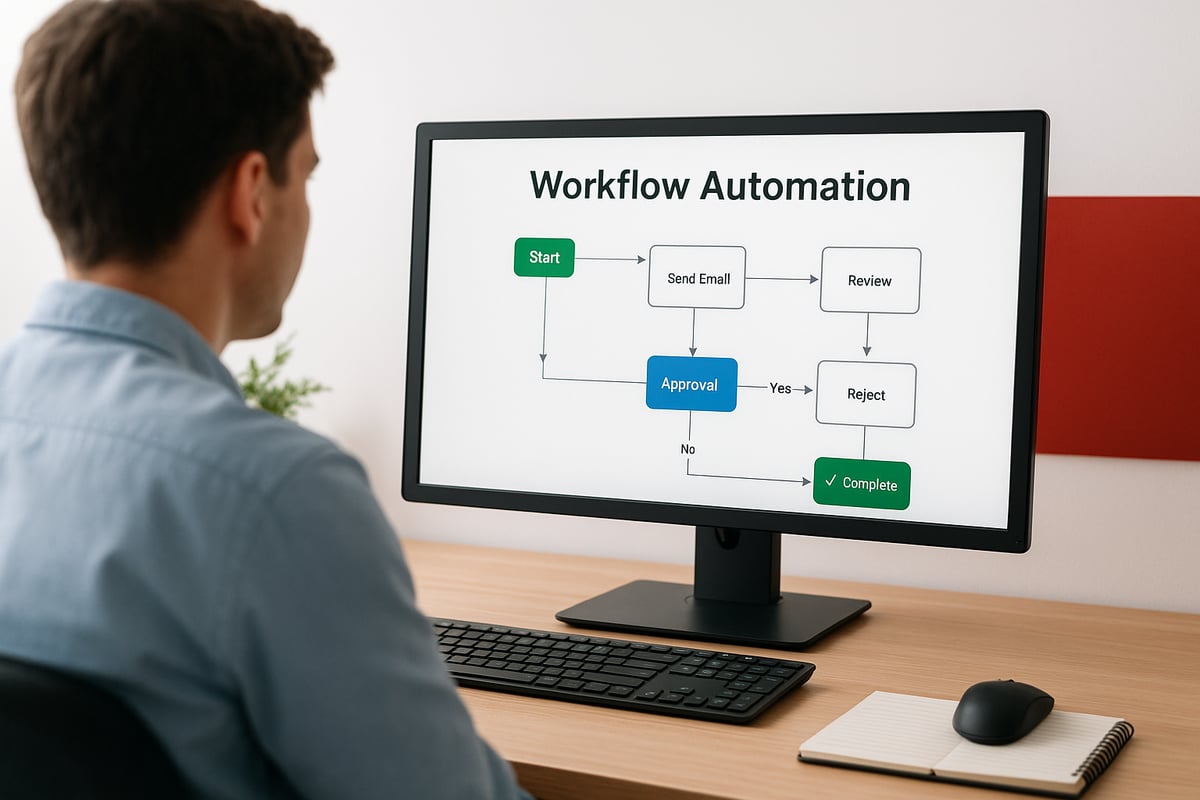
Why Automation and Workflow Matter for Every Business
Manual work can slow down even the most dedicated teams. Imagine spending hours searching for files, waiting on approvals, or correcting mistakes. That is where automation and workflow come in. These tools are not just for tech giants. Any business, no matter the size, can benefit.

The Cost of Manual Work
Manual tasks eat up precious time. Over half of office workers spend more time searching for files than actually working. Think about chasing signatures, sorting through emails, or tracking down lost paperwork. These routine jobs often cause:
- Delays that stall projects
- Errors that lead to expensive fixes
- Missed follow-ups that frustrate clients
The real cost is not just wasted hours. Burnout rises when teams handle repetitive jobs all day. Payments get delayed, and clients notice when things slip through the cracks. According to Manual tasks vs. automation, shifting away from manual work can free up time and reduce stress for everyone.
Key Benefits of Automation and Workflow
Switching to automation and workflow brings clear, measurable results. You will see:
- Faster task completion and fewer bottlenecks
- Fewer mistakes, so product quality improves
- More time for creative or high-value work
- Better team communication and clarity
- Real time updates and progress tracking
- Savings from fewer errors and less manual effort
For example, automated payment reminders help keep cash flow steady. Automated review requests get your business noticed online. With automation and workflow, your staff can focus on projects that matter most.
Impact Across Different Roles and Industries
Automation and workflow help every team, from HR to finance and customer service. In HR, it speeds up onboarding by replacing piles of forms with digital checklists. Finance teams use it to process invoices and payments without manual entry. Customer service can resolve tickets faster with automated routing.
Industries like healthcare, retail, manufacturing, and small service businesses all use automation and workflow to handle daily tasks. For instance, automating the hiring process means new employees start sooner and managers avoid paperwork headaches.
How Automation and Workflow Systems Work
Imagine if every time a task finished, the next step happened by itself. That's what automation and workflow can do for you. These systems take daily routines and turn them into automatic processes, freeing up your time and reducing mistakes.

The Building Blocks of Automation and Workflow
Every automation and workflow system relies on a few basic elements:
- Triggers: These are events that start a process, like receiving a new lead or completing a job.
- Actions: Steps the system takes, such as sending an email or creating an invoice.
- Conditions: Rules that decide what happens next, for example, only send an invoice if a job is marked as finished.
- Integrations: Connections with other tools, like QuickBooks or your CRM.
Here’s a quick table to clarify:
| Component | What It Does | Example |
|---|---|---|
| Trigger | Starts the workflow | New customer signs up |
| Action | Performs a task | Send welcome email |
| Condition | Sets a rule | If payment received, continue |
| Integration | Connects apps | Update contact in CRM |
Automation and workflow tools bring these blocks together, so you don’t have to handle each task by hand.
Mapping and Automating a Workflow
To use automation and workflow effectively, you first map out each step in a process. This could be as simple as drawing a flowchart. For example, when a job is completed, the system could instantly send an invoice and payment link to the client.
Many people worry this sounds complicated, but today’s tools make setup easy. Low-code and no-code platforms let anyone build workflows with drag-and-drop features. If you want to see how workflow mapping and management tools work, check out this guide on business process workflow software.
Automating your workflow means you’ll save time and avoid missed steps. You can even use ready-made templates to get started faster.
Integrating with Everyday Tools
Automation and workflow systems really shine when they connect to the tools you already use. Imagine linking your field service app, accounting software, and customer database. When a job is marked complete, the system updates your records, sends the invoice, and logs payment—all without manual effort.
Popular integrations include:
- QuickBooks for invoices and payments
- CRMs for contact and deal tracking
- Field service software for job updates
These integrations keep information flowing, so you don’t have to copy and paste between programs.
Monitoring and Optimizing Your Processes
Once your automation and workflow are running, you’ll need to keep an eye on performance. Most systems offer dashboards that show how each process is working. You can track:
- Time saved on each task
- Number of errors flagged and fixed
- Progress of jobs or invoices
Workflow mapping also gives you a bird’s-eye view, helping you spot where things slow down or get stuck. Adjust and fine-tune your processes as your business changes.
Automation and workflow aren’t just for tech experts. They’re tools anyone can use to reclaim time and keep work moving smoothly.
Steps to Master Automation and Workflow in Your Business
Ready to make automation and workflow part of your daily routine? Here’s a practical path to get started, no matter your team size or tech level.

1. Identify Repetitive and Time-Consuming Tasks
Start by listing out tasks that take up time every week. Look for things like:
- Entering data into spreadsheets
- Sending invoices or reminders
- Following up on client requests
- Routing approvals between team members
Notice spots where work gets stuck or mistakes happen. These are often the best places to apply automation and workflow improvements. High-volume, repetitive jobs usually benefit the most.
2. Map Out Your Current Workflows
Draw a simple diagram of how tasks move from start to finish. For example, chart the journey from a new lead inquiry to a paid invoice. Use sticky notes or digital mapping tools to document each step.
This helps you see where tasks slow down or get lost. The clearer your map, the easier it is to spot where automation and workflow tools can help.
3. Choose the Right Automation Tools
Pick tools that suit your team’s needs and skills. Look for:
- Easy setup and user-friendly design
- Integration with your existing apps
- Ability to grow as your business grows
- Responsive support and help resources
If you don’t code, try low-code or no-code platforms. Pre-built solutions can save you time, especially for common tasks like invoicing or client follow-ups. The right automation and workflow tool makes the difference.
4. Design and Test Your Automated Workflows
Set up triggers (like a form submission), actions (such as sending an email), and conditions (if/then rules). Always test your new flows with real data before launching them fully.
Ask team members to try the process and share feedback. This way, you’ll catch issues early and make sure your automation and workflow setup fits real needs.
5. Monitor, Measure, and Optimize
Once your systems are running, keep an eye on how they perform. Track:
- Time saved on each process
- Fewer errors or delays
- Faster payments or responses
- Customer satisfaction scores
Regularly review and fine-tune your automation and workflow steps. For a structured approach, check out the Opus Workflow Evaluation Framework, which helps assess workflow quality, reliability, and cost. Small tweaks can lead to big improvements.
6. Encourage Team Buy-In and Training
Talk openly about why you’re making changes. Hold quick training sessions and offer ongoing support. Involve your team in spotting more areas for automation and workflow upgrades.
When everyone understands the benefits, you’ll see less resistance and more creative ideas for making work easier.
Trends and Innovations in Automation and Workflow
The world of automation and workflow is moving fast, with new technologies making it easier for teams to get more done. Let’s look at the latest trends and see how they’re changing the way we work.
AI and Machine Learning in Automation
AI is now a key part of automation and workflow. It helps businesses handle more complex tasks, like sorting documents or routing requests based on content. Instead of just moving data, AI can learn from patterns and suggest next steps.
For example, insurance companies use AI to speed up claims and spot errors. This means fewer mistakes and faster results.
Integration Across Platforms
Connecting different tools is a big focus in automation and workflow. Teams want their CRMs, accounting, and project tools to talk to each other.
According to the Workflow Automation Market Forecast 2025-2035, the demand for integrated solutions is driving rapid market growth. Now, you can set up triggers that link jobs, invoices, and payments in one place.
Self-Service and No-Code Solutions
No-code tools are a game-changer for automation and workflow. Now, anyone can automate tasks without writing code. Drag-and-drop builders let you design workflows in minutes.
You’ll find ready-made templates for common needs like sending emails or updating records. This means small teams can jump in quickly and see results without waiting on IT.
Real-Time Monitoring and Reporting
With automation and workflow, you get instant visibility into what’s happening. Dashboards show progress, bottlenecks, and issues as they come up.
You can spot delays or errors right away and fix them before they grow. This kind of real-time data helps teams make better decisions and keep things running smoothly.
Enhanced Security and Compliance
Modern automation and workflow platforms track every action, creating clear audit trails. This is vital for businesses that need to follow strict rules.
Automated checks help catch errors and reduce the risk of missing something important. By relying less on manual work, you lower the chance of mistakes and keep sensitive data safer.
The Shift Toward End-to-End Automation
The move is on from single-task fixes to full automation and workflow across entire processes. Instead of just automating one step, companies connect everything from lead capture to payment.
According to Automation in business operations, this approach gives teams more control and visibility. It’s about making sure every part of the process works together, cutting out gaps and reducing manual effort.
Frequently Asked Questions
Curious about automation and workflow? Here are answers to the most common questions.
What’s the difference between workflow automation and workflow management?
Workflow automation uses technology to complete tasks with little human input, while workflow management is about organizing and tracking the steps in a process.How do I know which tasks are best suited for automation and workflow?
Look for repetitive, time-consuming jobs like data entry or invoice processing. These often benefit most from automation and workflow solutions.Can small businesses benefit from automation, or is it just for large companies?
Small businesses can gain a lot from automation and workflow, saving time and reducing errors just like bigger firms.What are some common mistakes to avoid when automating workflows?
Skipping the step of mapping out current processes, not testing before launch, or automating broken steps can cause problems.How does automation impact customer experience?
Faster responses and fewer mistakes mean happier clients. For example, State of Accounting Workflow and Automation 2025 reports clients get invoices and updates much faster.What metrics should I track to measure automation success?
Keep an eye on time saved, fewer errors, and faster payments.Do I need technical skills to set up automation in my business?
Many tools now offer no-code options, so you don’t need advanced tech skills to get started.
Now that you’ve seen how automation can unlock time, reduce errors, and help your business scale, why not find out how ready you are to take the next step? Understanding your automation readiness is the first move toward building a more efficient, resilient operation. You don’t have to guess where to start—let’s pinpoint the opportunities together so you can focus on what matters most. Take a few minutes to get a clear, actionable score and discover practical recommendations tailored to your business. Ready to see where you stand? Get Your Automation Readiness Score
.png)
.png)