
.png)
Frustrated by juggling endless spreadsheets and chasing lost paperwork? Many business owners feel buried under manual tasks and disconnected tools. Imagine if quotes, job schedules, and invoices handled themselves, letting you focus on growth.
That’s the promise of business management systems—software that brings everything together in one place. This guide will help you understand what business management systems are, why they matter, and how to choose the right one. You’ll see key features, real examples, and simple steps to get started. Ready to transform the way you work? Let’s dive in.
What Is a Business Management System?
A business management system is software that brings everything your business does—sales, service, scheduling, and finance—into one place. Instead of bouncing between spreadsheets and scattered apps, you get a single dashboard to see and manage your daily work.
Unlike ERP systems, which are often complex and built for big companies, business management systems are usually more flexible and better suited for small to medium businesses. Many owners confuse the two, but not every BMS is an ERP. Think of BMS as a toolkit designed to fit your business, without the bulk.
Here’s what you’ll typically find in business management systems:
- CRM for handling leads, customers, and follow-ups
- Project or job management for scheduling and tracking work
- Accounting for invoices, expenses, and payments
- HR tools for managing staff and payroll
- Inventory tracking for products or parts
- Reporting and dashboards for real-time numbers
The magic happens when these features connect. For example, a service company can take a new client booking, assign a team, send an invoice, and track payment—all from one login. No more copying information between apps or chasing paperwork.
Many business owners use the terms "business management systems" and "ERP" as if they're the same. But most BMS options focus on being easy to set up and use, especially for smaller teams.
More small businesses are choosing business management systems because cloud solutions are now affordable and simple to use. Tools like Sage Intacct and Sage 50 make it easy to manage everything from anywhere. These systems are a good fit for many industries, including construction, healthcare, and retail. If you want a deeper dive into how these systems work for small businesses, check out this Small Business Systems Overview.
Business management systems bring your team together, cut down on manual work, and help you focus on what matters—serving your customers.

Benefits of Business Management Systems
Manual admin work can eat up hours every week. Business management systems tackle this head on. By bringing your daily tasks into one place, they save time and reduce stress.

Here’s how business management systems help:
- Automate routine work: No more chasing invoices or sending reminders by hand. These systems handle repetitive tasks, letting you focus on customers. Many companies use Automate Business Solutions to set up billing, job scheduling, and follow-ups automatically.
- Cut down on mistakes: Entering the same data in different places leads to errors. With business management systems, information flows between sales, finance, and scheduling. Fewer mistakes mean fewer headaches.
- Connect your team: Everyone works from the same set of data. Sales, service, and accounting all see what’s happening in real time. This improves communication and helps teams move faster.
- Get answers quickly: Dashboards and reports show your numbers instantly. You don’t have to wait for someone to pull together spreadsheets. Decisions are faster and based on facts.
Extra benefits include:
- Easier compliance: All records are in one spot, so audits and tax time are less stressful.
- Room to grow: As your business expands, you can add new users or features. No need to buy a whole new system.
- Save money: You don’t need ten different apps. Business management systems replace overlapping tools, cutting software costs.
Real-world results:
- A construction company switched from spreadsheets to a business management system. Now, project managers, payroll, and billing all run from a single dashboard. The team cut admin time by 40 percent.
- Retailers use business management systems to sync online orders, track inventory, and pay staff. Out-of-stock errors drop, and payroll runs on time.
- Service companies that automate lead-to-invoice processes see payments come in 50 percent faster. Fewer jobs are missed because everything is scheduled and tracked.
Better customer experience:
Customers get quicker responses. No more lost quotes or forgotten follow-ups. Business management systems help teams deliver on promises.
Support for remote work:
With cloud-based business management systems, your team can work from anywhere. This keeps everyone connected, even if staff is on the road or working from home.
Types of Business Management Systems
Choosing the right business management systems can feel overwhelming with so many options out there. Each type offers something different, so it helps to see how they stack up for your business.
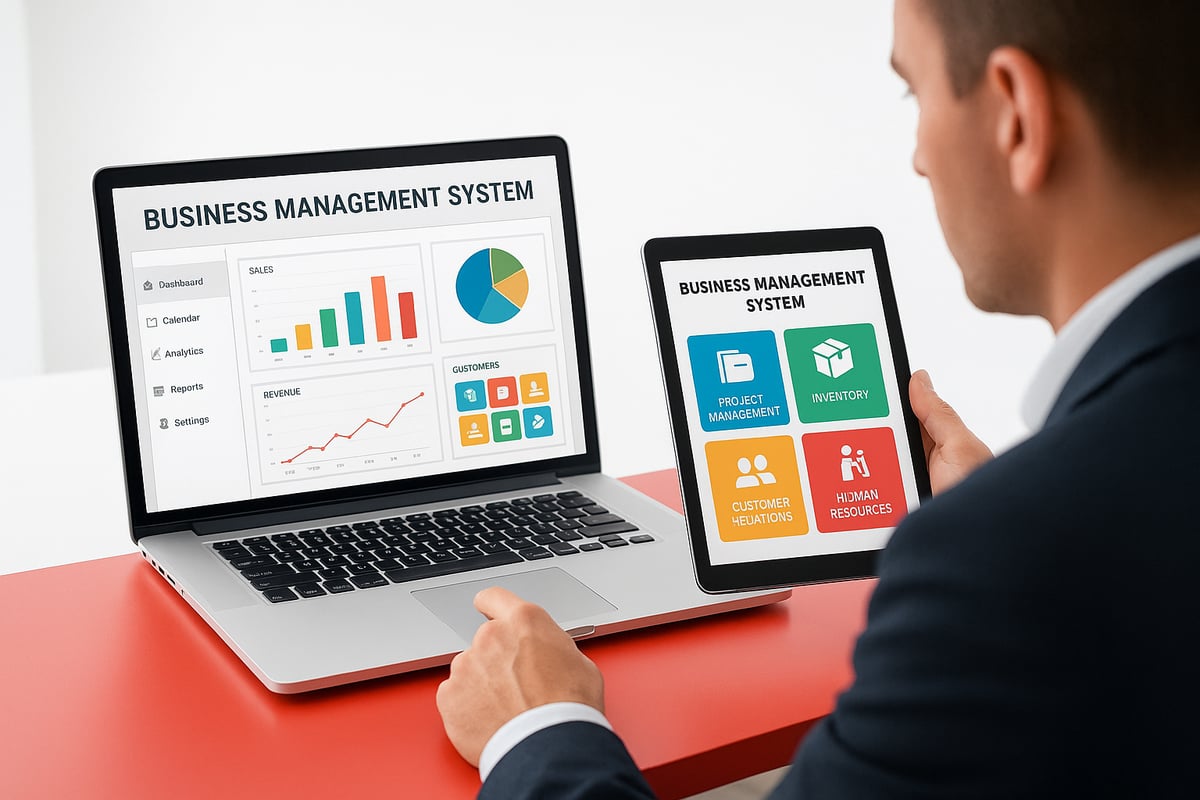
All-in-One and Industry-Specific Systems
Some business management systems offer everything in one place. These all-in-one platforms, like Sage Intacct or Adhesion CRM, let you handle sales, scheduling, invoicing, and reporting from a single dashboard.
Industry-specific solutions are designed for unique needs. For example, a construction company might need project tracking and compliance tools, while a healthcare clinic wants secure patient records and appointment scheduling. Picking a system tailored for your field can save you time and prevent headaches later.
- All-in-one: Great for small to midsize teams needing simplicity.
- Industry-specific: Best if you have specialized workflows or regulations.
Modular, Cloud-Based, and On-Premise Systems
Modular business management systems let you add features as you grow. Start with billing and scheduling, then add inventory or HR tools when you’re ready. This flexibility is helpful for businesses that expect change.
Cloud-based systems are popular because your team can log in from anywhere. Updates happen automatically, and there’s no need for expensive servers. On-premise business management systems, by contrast, keep everything on your own computers. They offer control, but usually need more IT support.
- Modular: Pay for only what you use.
- Cloud-based: Access from anywhere, scales with your team.
- On-premise: More control, but higher maintenance.
Open-Source, Proprietary, and Integrated Systems
Open-source business management systems are customizable and often free, but you’ll need technical skills to set them up. Proprietary systems are ready to use out of the box, with vendor support and regular updates.
Integrated business management systems connect with your existing tools. For example, a retail shop might sync its point-of-sale, inventory, and payroll in one place. Stand-alone systems don’t connect to other software, which can cause double entry.
- Open-source: Customizable, but needs IT know-how.
- Proprietary: Easier setup and support.
- Integrated: Connects with other apps, reduces manual work.
Comparison Table: Popular Options
Here’s a quick look at some common business management systems and their strengths:
| System | All-in-One | Industry-Specific | Modular | Cloud | Open-Source | Integrations |
|---|---|---|---|---|---|---|
| Sage Intacct | ✔️ | ❌ | ✔️ | ✔️ | ❌ | ✔️ |
| Adhesion CRM | ✔️ | ✔️ | ✔️ | ✔️ | ❌ | ✔️ |
| Odoo | ✔️ | ❌ | ✔️ | ✔️ | ✔️ | ✔️ |
| QuickBooks | ❌ | ❌ | ✔️ | ✔️ | ❌ | ✔️ |
A retailer might use a cloud-based business management system to sync sales, inventory, and HR. A growing service company could start with scheduling, then add billing and payroll modules as it expands.
Cloud adoption is rising fast, with more businesses switching to flexible business management systems. You can read about these trends in the Global Business Management Software Market Growth report.
Final Thoughts
No matter your size or industry, there’s a business management system that fits your needs. Think about your day-to-day pain points, and match them to the right type. The right choice can make your work life much easier.
Step-by-Step Guide to Implementing a Business Management System
Feeling unsure about where to start with business management systems? This step-by-step guide will walk you through the entire process. You’ll see how to break things down, avoid common pitfalls, and set yourself up for success—no matter your industry.

1. Map Out Your Processes
List every major workflow in your business. Include sales, scheduling, billing, and customer follow-up. Talk with your team to spot bottlenecks or tasks that eat up time.
For example, a cleaning company might realize there’s a big delay between finishing jobs and sending invoices. Knowing these pain points is the first step to making business management systems work for you.
2. Set Clear Goals
What do you want to fix? Maybe it’s faster billing, better lead tracking, or fewer mistakes. Be specific and set targets you can measure, like aiming to cut admin time by 30 percent.
Clear goals help you choose business management systems that actually solve your problems, not just add more software.
3. Research and Shortlist Solutions
Compare features, costs, and how well each system fits your industry. If you’re in construction, retail, or services, look for tools built with your needs in mind.
Use free trials to test how easy the software is. Not sure what to look for? Check out What to Consider When Selecting Software for a handy checklist of questions to ask before you decide.
4. Plan Data Migration
Decide what information you need to move, like client lists, invoices, and job schedules. This is a good time to clean up old records so you’re not dragging clutter into your new business management systems.
Back up everything before you switch. Taking a little extra care now will save time later.
5. Train Your Team
Schedule training sessions for everyone who’ll use the system. Use guides or video tutorials to show how to handle common tasks.
Pick a “superuser” or champion who can answer questions and help others adjust. The better your team understands business management systems, the smoother the transition.
6. Go Live in Phases
Don’t try to switch everything at once. Start with one department or workflow, such as invoicing or scheduling.
Fix any issues before rolling out to the entire team. For example, a landscaping business might first automate payments, then add scheduling features as everyone gets comfortable.
7. Review and Improve
Ask your team for feedback after the rollout. Track key metrics to see if you’re meeting your goals.
Adjust settings or add features as your business grows. Business management systems should evolve with your needs.
Common Pitfalls and a Helpful Tip
It’s easy to rush the rollout or skip training—both can cause headaches. Not cleaning up your data is another common mistake.
Tip: Hold regular check-ins with your team. This helps you catch problems early and keeps your business management systems running smoothly.
Real-World Examples and Case Studies
Businesses of all sizes are seeing major changes after adopting business management systems. Let’s look at how different companies have put these systems to work and the results they’ve achieved.
Construction Company:
A mid-sized contractor switched from scattered spreadsheets to business management systems. They now manage project schedules, billing, and payroll all from a single dashboard. The result? Admin hours dropped by 40 percent, and projects rarely miss deadlines. Integration across departments means less confusion and smoother handoffs. For more on how integration drives real business change, see Transform Your Business with Integration.
Retail Business:
A retailer with both brick-and-mortar and online sales adopted a cloud-based BMS. With inventory, point-of-sale, and HR tools connected, they cut out-of-stock issues and improved stock accuracy. Payroll runs are now automatic, and staff can see up-to-date inventory anytime.
Service Company:
A growing service business automated everything from lead capture to invoicing using business management systems. Payments now arrive 50 percent faster, and missed jobs are a thing of the past. Owners spend less time double-checking schedules and more time meeting clients.
Healthcare Provider:
A small clinic uses BMS tools to track compliance and speed up reporting. Regulatory paperwork that used to take days is done in hours. Staff can focus on patient care instead of chasing records.
Adhesion Co. Client:
One service company turned to Adhesion Co. to get rid of manual job scheduling. With automated reminders and job creation, the owners reclaimed hours each week. Now, they can focus on growing their business, not paperwork.
Sage Intacct Results:
According to Sage US, users of their BMS solution reported a 250 percent return on investment and a payback period of just half a year. Productivity jumped, and financial close times dropped by nearly 80 percent.
Here’s a quick look at the impact of business management systems:
| Company Type | Key Result | Time Saved | Error Reduction | Faster Payments | Happier Customers |
|---|---|---|---|---|---|
| Construction | Projects, billing, payroll unified | 40% | High | Yes | Yes |
| Retail | Inventory, HR, POS synced | Moderate | High | Yes | Yes |
| Service | Lead to invoice automated | High | High | 50% faster | Yes |
| Healthcare | Compliance, reporting automated | High | Moderate | Yes | Yes |
These stories show that business management systems help teams work smarter, not harder. Whether you’re tracking jobs, running payroll, or syncing sales, the right system can transform daily operations.
Frequently Asked Questions
Got questions about business management systems? You're not alone. Here are the answers to the most common questions, designed to help you make confident decisions.
What’s the difference between a business management system and ERP?
A business management system focuses on flexibility for smaller companies, handling sales, scheduling, and finance in one place. ERP systems are larger, often complex, and suit big organizations. For a real-world ERP example, see the ERP Implementation Case Study: Schlumberger.How long does it take to set up a BMS?
Setup time depends on your business size and needs. Small teams can get started in days, while larger companies may need a few weeks.Can a small business afford a BMS?
Yes, many business management systems offer affordable cloud plans. You can start small and add features as you grow.What features should I prioritize?
Look for features like CRM, invoicing, team scheduling, and integration with your accounting tools.How does BMS help with compliance?
It keeps all records and documents in one spot, so audits and reporting are much easier.Is cloud-based BMS secure?
Most cloud business management systems use strong encryption and regular backups to protect your data.Can I integrate BMS with my existing tools?
Yes, many business management systems connect with popular software, like QuickBooks. Some even adopt new tech, like Agentic AI Adoption in Enterprises, to improve automation.What are common mistakes during implementation?
Rushing the rollout, skipping staff training, or importing messy data can cause problems.How do I know if my business is ready for BMS?
If you spend too much time on paperwork or struggle to track jobs and payments, it’s probably time.Where can I see real-life examples or get a demo?
Check vendor websites for demos or case studies. Many providers offer free trials so you can explore features firsthand.
As you’ve seen throughout this guide, the right business management system can help you reclaim your time, reduce manual headaches, and set your company up for real, measurable growth. If you’re ready to take the next step and see how automation could work for your unique processes, why not find out where you stand today? It’s quick, insightful, and completely tailored to service businesses like yours. Start by discovering how prepared your operations are for automation—unlock practical tips and see exactly where you can gain the most efficiency.
Get Your Automation Readiness Score
.png)
.png)