
.png)
Picture this: you're a roofing contractor, juggling stacks of paperwork and endless phone calls. Miscommunication between your crew and the office leads to missed details and wasted time.
Manual tasks slow down every job, making it harder to keep projects on track and profits healthy. If this sounds familiar, you're not alone.
This guide will show how workflow automation for roofing contractors can help you cut through the chaos and work smarter. You'll learn:
- What workflow automation is and how it works
- The biggest benefits for roofing contractors
- Essential features to look for
- Steps to get started
- Common mistakes to avoid
Ready to make your day less stressful? This practical guide is here to walk you through every step.
Understanding Workflow Automation for Roofing Contractors
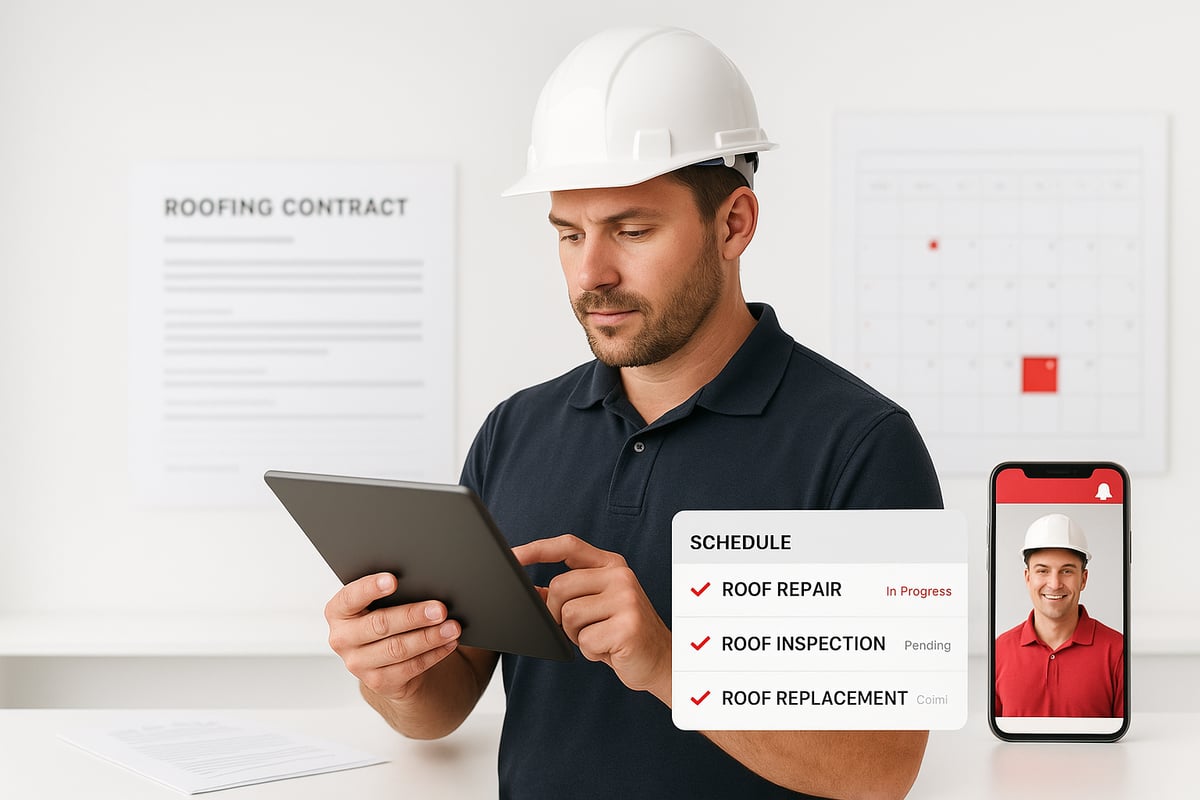
Roofing businesses juggle a lot—calls, paperwork, schedules, and billing. When things are handled by hand, details get lost, and jobs slow down. That's where workflow automation for roofing contractors steps in, making daily operations much smoother.
What Is Workflow Automation?
Workflow automation for roofing contractors means using software to handle routine tasks that used to take up valuable time. Instead of chasing down paper forms or making endless phone calls, digital systems do the heavy lifting.
For example, roofing projects often involve:
- Collecting leads from calls or your website
- Scheduling site inspections and crews
- Sending out estimates
- Creating and tracking invoices
With automation, these steps connect in one system. You can read a deeper explanation in this What is Workflow Automation guide. This makes it easier for everyone on your team to see what needs to happen next.
Key Challenges Roofing Contractors Face
Roofing contractors deal with a pile of paperwork and constant phone calls. It's easy to misplace documents or double-book a crew. The main pain points include:
- Lost or incomplete job paperwork
- Scheduling mix-ups and missed appointments
- Slow turnaround for sending estimates
- Delays in billing and collecting payments
According to recent industry data, roofing contractors can spend up to 30% of their week on manual admin work. Mistakes from manual processes often lead to costly delays and frustrated customers.
How Automation Addresses These Challenges
Workflow automation for roofing contractors tackles these problems head-on. Here are a few concrete ways automation helps:
- Automatic job scheduling assigns crews and sends instant notifications
- Digital checklists make sure every inspection is thorough and nothing is missed
- Estimates are generated and emailed to customers in minutes, not days
By cutting out manual entry, automation reduces errors and saves hours every week. Teams spend less time tracking down lost info and more time getting jobs done.
Real-World Example: A Day in an Automated Roofing Business
Picture this: A new lead comes in through your website and is logged automatically. The system schedules a site visit, sends a reminder to the crew, and creates a digital checklist for the inspection. After the job, an invoice goes out right away, and the customer pays online.
With workflow automation for roofing contractors, the entire process—from lead to payment—moves faster, with fewer mistakes and less stress.
Core Benefits of Workflow Automation for Roofing Contractors
Roofing businesses run smoother when paperwork, scheduling, and customer updates do not eat up the day. With workflow automation for roofing contractors, you can turn hours of admin headaches into just a few clicks. Here is how these tools make a difference, from tracking jobs to getting paid faster.

Save Time and Reduce Errors
Manual paperwork slows everything down. With workflow automation for roofing contractors, you can cut out double entry and avoid lost information.
- Automatic job scheduling means no more shuffling paper calendars.
- Digital forms and checklists keep job details in one place.
- Estimates and invoices are sent in seconds, not hours.
According to Roofing Statistics Supporting Software Adoption, roofing companies using digital tools save up to 8 hours a week in admin time and see fewer costly mistakes. That is time you get back for actual roofing work.
Improve Customer Experience
Workflow automation for roofing contractors makes it easy to keep homeowners in the loop.
- Automated text or email updates let clients know when crews are coming.
- Reminders help prevent missed appointments.
- Fast digital estimates mean customers are not left waiting.
When customers get quick updates and clear communication, trust goes up. Missed appointments drop, and jobs move forward without confusion.
Increase Revenue and Cash Flow
With workflow automation for roofing contractors, invoices can be generated and sent as soon as the job wraps up.
- Automated payment reminders get sent without you lifting a finger.
- Faster billing means you are not waiting weeks for payment.
Industry research shows that companies using automation see faster payments and improved cash flow, helping you reinvest in your business.
Enhance Team Coordination
Keeping everyone on the same page is easier with workflow automation for roofing contractors.
- Digital job boards show every crew member where they need to be.
- Instant notifications update teams about changes or new assignments.
Less confusion means crews spend more time working, not waiting for instructions.
Ensure Compliance and Documentation
Automated record-keeping makes tracking warranties and insurance documents simple.
- Every job’s paperwork is saved and searchable.
- Compliance checks become part of the workflow, not an afterthought.
No more digging through filing cabinets for that warranty or proof of insurance.
Essential Features of Roofing Workflow Automation Systems
Roofing companies face a lot of moving parts. Choosing the right workflow automation for roofing contractors means picking a system with features that actually fit the way your crews and office staff work. Here’s what to look for if you want less stress and more control over your day.

Lead Management and CRM Integration
Managing leads can get messy fast. With workflow automation for roofing contractors, you’ll want automatic lead capture from your website or phone calls. Good systems send new leads straight into your CRM, keeping contact info and job status updated in one place.
- Automatic lead capture from all sources
- CRM syncs updates instantly
- Central spot for contacts and project details
If you want to understand how CRM systems fit into the bigger automation picture, check out this CRM Integration for Contractors resource.
Job Scheduling and Dispatch
Efficient job scheduling is a must. Drag-and-drop calendars let you assign crews quickly and see everyone’s workload at a glance. Workflow automation for roofing contractors can send instant notifications to your team, so no one misses a shift.
- Drag-and-drop job calendar
- Automatic crew texts or emails
- Fewer double-bookings and mix-ups
Scheduling tools like these help keep everyone on the same page and reduce costly errors.
Digital Estimates and Proposals
Clients expect fast estimates. With workflow automation for roofing contractors, you can create and send professional proposals in minutes.
- Pre-built templates speed up the process
- Edit and send from anywhere
- Track when customers open the estimate
This feature cuts down on waiting and helps you win more jobs.
Work Order and Checklist Automation
On-site mistakes are expensive. Custom digital checklists make sure nothing gets missed, from safety steps to materials used.
- Checklists tailored to each job type
- Crews check off tasks in real time
- Office staff see progress instantly
These checklists help reduce errors and simplify reporting.
Invoicing and Payment Collection
Chasing payments is no fun. Automated invoicing tools generate bills as soon as a job is done and send reminders without you lifting a finger.
- Instant invoice creation
- Automatic payment reminders
- Track paid and unpaid jobs easily
This keeps your cash flow healthy and your books organized.
Reporting and Analytics
Want to know where you stand? Reporting tools in workflow automation for roofing contractors let you track job progress, expenses, and profits in one dashboard.
- Job status at a glance
- Cost breakdowns by project
- Profitability reports for smarter decisions
Having the right numbers helps you plan your next move.
Mobile Access and Field Updates
Your crews spend more time on roofs than at desks. Mobile-friendly systems let them update job status, upload photos, and view schedules from their phones.
- Real-time job updates from the field
- Upload photos or notes instantly
- Everyone stays informed, wherever they are
Mobile access means fewer phone calls and less confusion for everyone.
Step-by-Step Guide: How to Implement Workflow Automation in Your Roofing Business
Rolling out workflow automation for roofing contractors can feel overwhelming at first. Breaking it down into clear steps makes it manageable and less stressful.
Below is a practical guide to help you move from manual headaches to a smooth digital process.
Step 1: Map Out Your Current Workflows
Start by writing down every task, from the first customer call to sending the final invoice.
Use flowcharts or simple checklists to capture each step. Get input from your team, since they know where things get stuck.
Mapping your process gives you a clear picture of where workflow automation for roofing contractors can help most.
Step 2: Identify Bottlenecks and Manual Tasks
Look for places where things slow down or get lost. Are estimates delayed because paperwork sits on a desk? Does scheduling take too long because you have to call each crew member?
Highlight tasks that are repeated, error-prone, or just plain frustrating. These are the best spots to target with workflow automation for roofing contractors.
Step 3: Choose the Right Automation Tools
Make a list of features you need. For example, you might want mobile access, easy integrations, or roofing-specific templates.
Research platforms built for your industry. Compare them side by side for things like support, cost, and user-friendliness. If you want a deeper dive into software options and best practices, check out Business Process Workflow Software.
Choosing the right system is a big step in successful workflow automation for roofing contractors.
Step 4: Plan Your Rollout
Don't try to change everything at once. Pick one workflow, like scheduling or invoicing, and focus there first.
Set clear goals, such as "reduce scheduling calls by 50%" or "send invoices within 24 hours." Create a timeline with checkpoints so you can measure progress.
A phased rollout helps your team adjust and builds confidence in workflow automation for roofing contractors.
Step 5: Train Your Team
Schedule hands-on training sessions. Use short videos or guides that show how the new tools work in real situations.
Encourage your crew to ask questions and share feedback. Make sure everyone knows who to turn to if they need help.
Well-trained teams are much more likely to embrace workflow automation for roofing contractors.
Step 6: Monitor, Adjust, and Optimize
Check in regularly to see how things are going. Ask your team what’s working and what’s not.
Use reports to track key metrics like job completion time or invoice turnaround. Adjust processes as needed and celebrate the wins.
Continuous improvement keeps workflow automation for roofing contractors on track and delivering results.
Adhesion Co.: Automation Solutions for Roofing Contractors
Adhesion Co. specializes in workflow automation for roofing contractors, making daily operations easier for busy teams. If you’re tired of chasing paperwork or losing track of jobs, their solutions are built for you.

Here’s what you can expect from Adhesion Co.:
- CRM integration for tracking every lead and job in one place
- Automated invoicing and payment reminders to speed up cash flow
- Cash flow management tools that help you keep tabs on your bottom line
- Pre-built automation packages so you can get started fast, without guesswork
Roofing companies using Adhesion Co. report a dramatic drop in manual data entry, fewer missed appointments, and a smoother experience for both crews and customers. With workflow automation for roofing contractors, you’ll spend less time on repetitive admin and more time growing your business.
If you’re ready to see what automation could do for your company, Adhesion Co. offers a free automation assessment and a resource library packed with practical tips. You can find more strategies in their Automate Business Solutions Guide, which covers how to choose and implement the right tools.
Common Pitfalls and How to Avoid Them
Every roofing business wants smoother operations, but even the best plans can hit a snag. Here are the most common traps when adopting workflow automation for roofing contractors, plus practical ways to sidestep them.
Overcomplicating Automation
It’s tempting to automate every single task right away, especially when you start seeing the benefits of workflow automation for roofing contractors. But trying to do too much can overwhelm your team and stall progress.
- Pick the process causing the most headaches, like job scheduling or invoicing.
- Automate one workflow at a time before moving on.
- Test changes with a small group, gather feedback, then roll out more broadly.
This stepwise approach keeps things manageable and lets you fine-tune as you go.
Poor Tool Selection
Choosing the wrong software is a fast track to frustration. Some tools look great on paper but lack features tailored to roofing companies. Others don’t play nicely with your current systems.
- Research solutions built for roofing, not just generic platforms.
- Check for integration with your CRM, accounting, and field apps.
- Look for strong vendor support and clear documentation.
- Review recent digital transformation in roofing industry statistics to see how top contractors are choosing and benefiting from digital tools.
Taking time to vet your options helps you avoid costly mistakes.
Lack of Team Buy-In
Even the best workflow automation for roofing contractors will fall flat if your crew isn’t on board. Resistance often comes from fear of change or not seeing the personal benefit.
- Involve both office and field staff early in the process.
- Explain how automation will save them time and reduce errors.
- Highlight success stories or quick wins to build confidence.
A team that feels heard and supported will adopt new tools much faster.
Inadequate Training and Support
Rolling out new systems without enough training leaves everyone frustrated. People need time and resources to adjust.
- Offer hands-on demos and easy-to-follow guides.
- Set up a resource library with how-to articles and videos.
- Encourage questions and provide ongoing support.
Regular check-ins can catch small issues before they become big headaches.
Failing to Review and Update Workflows
Workflow automation for roofing contractors isn’t a set-it-and-forget-it solution. Your business will change, and so will your needs.
- Schedule regular workflow reviews, at least quarterly.
- Ask your team where steps could be improved or simplified.
- Stay updated on new features and industry best practices.
This habit helps you get the most out of your investment and keeps your business running smoothly.
Frequently Asked Questions
Roofing contractors often have questions before diving into workflow automation for roofing contractors. Here are answers to the most common ones.
1. What types of roofing tasks can be automated?
You can automate lead capture, scheduling, estimates, work orders, invoicing, and even job status updates. Many contractors now use systems that handle reminders and paperwork digitally, so nothing gets missed.
2. Will automation work with my current software?
Most modern platforms for workflow automation for roofing contractors offer integrations with popular accounting, CRM, and project management tools. Check if your current systems are supported before purchasing.
3. How much does workflow automation cost?
Costs vary by features and user count. Some providers charge per job, while others use monthly fees. Expect a range from affordable starter plans to more robust packages for larger teams.
4. How long does it take to set up?
Setups can be done in days for basic workflows. More complex setups may take a few weeks, especially if you need data migration or team training.
5. What are the biggest risks?
The main risks are choosing the wrong tool or skipping proper training. Start small and get feedback from your team to avoid common issues.
6. How do I get my team on board?
Involve your crew early. Show them how workflow automation for roofing contractors will make their daily routines easier. Hands-on demos and step-by-step guides help a lot.
7. What’s the first step to start automating?
Map your current process from lead to payment. Identify the biggest pain points, then start automating the area that eats the most time. For example, Automate Roofing Reports with AI to reduce admin work.
8. Can automation help with compliance and documentation?
Yes. Many systems keep automatic records for warranties, insurance, and safety checks. Industry data, like those found in AI in the Commercial Roofing Industry Statistics, show this is a growing trend in roofing.
9. Do I need a dedicated IT person?
No. Most tools are built for non-technical users, with support included. You’ll just need someone to help with initial setup and answer team questions.
10. How do I measure the ROI of automation?
Track hours saved each week, faster payments, and fewer errors. Compare these numbers before and after you start using workflow automation for roofing contractors.
As you’ve seen throughout this guide, embracing workflow automation isn’t just about keeping up with technology—it’s about making your roofing business more efficient, profitable, and resilient for the future. By streamlining lead management, scheduling, invoicing, and communication, you free up valuable time and resources to focus on what matters most: delivering great results for your clients and growing your company. If you’re ready to find out where your business stands and take the first step toward smarter operations, I recommend you Get Your Automation Readiness Score to see how prepared you are for the next level.
.png)
.png)