
.png)
Picture your business running without the daily grind of repetitive tasks. No more chasing paperwork or fixing the same mistakes over and over. The automation process can make this a reality by handling manual work for you.
Are you tired of spending hours on tasks that could be done in minutes? The automation process frees up your time and helps cut down on errors, letting you focus on what really matters.
This guide will show you:
- What the automation process is, in plain language
- Why it matters for businesses of any size
- The main types of automation you can use
- Simple, step by step ways to get started
- Common challenges and how to tackle them
- What’s next for automation and how to prepare
Ready to see how the automation process can change your business? Let’s dive in.
Understanding the Automation Process
Imagine you could hand off those tedious, repetitive tasks that slow everyone down. The automation process helps businesses do just that, making daily work smoother, faster, and less prone to mistakes. Whether you run a small shop or a growing company, learning how the automation process works can make a big difference.

What Is Automation?
The automation process uses technology to perform tasks that people usually do by hand. It can be as simple as sending an automatic email reply or as complex as handling order processing from start to finish.
There are three main levels:
- Task automation: One repetitive job, like scheduling meetings.
- Workflow automation: Linking tasks, such as sending a confirmation after a customer places an order.
- Process automation: Managing an entire process, like onboarding new hires.
Automation can take over just a few steps or manage everything from start to finish. Businesses use software, bots, and integrations to connect different tools. The automation process isn't only for big companies. Small businesses use it to save time and cut down on errors, too.
Key Benefits of Automation
The automation process offers several clear benefits:
- Fewer manual errors and less repetitive work.
- More time for employees to focus on important projects.
- Consistency in how things get done, every single time.
- Faster replies to customer questions or requests.
- Digital records make audits and compliance easier.
A real-world example: Companies that automate see up to 30% faster processing times, according to IBM. Automating employee onboarding, for example, helps new hires settle in quickly.
For a deeper look at how the automation process changes daily operations, check out Automation in operations overview.
Common Automation Myths
People sometimes worry that the automation process means job loss. In reality, it lets people focus on work that needs creativity and judgment.
Other common myths include:
- Only large companies can afford it. In truth, many affordable tools exist for small businesses.
- It's too complicated. Many solutions are simple and quick to set up.
- Automation means no human oversight. Actually, people still make key decisions and handle exceptions.
Take invoicing as an example. When a small business automates invoices, their staff can spend more time helping customers instead of chasing paperwork. The automation process is about working smarter, not replacing people.
Types of Automation Solutions
The automation process comes in many forms, so it's helpful to understand the main types. Each solution fits different business needs, from quick task fixes to full digital transformation. Let's look at the four core types, how they work, and where they fit best.
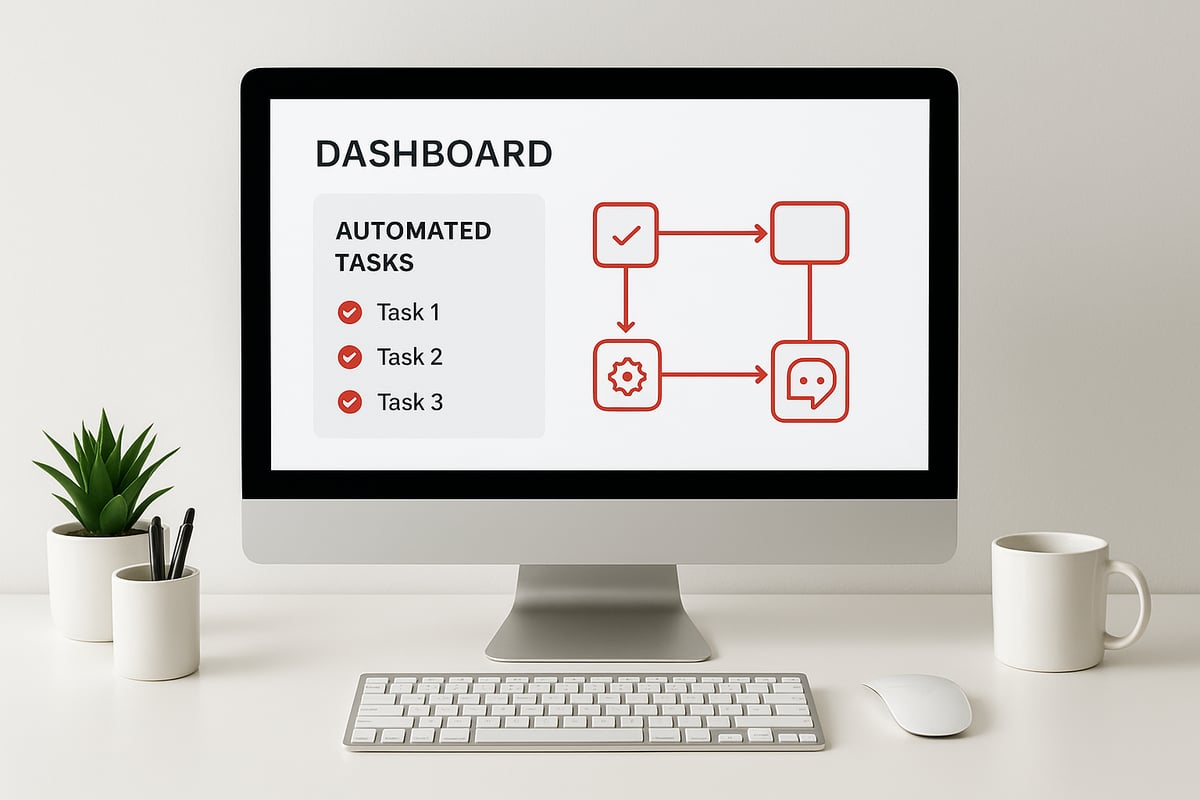
Task Automation
Task automation handles simple, repetitive activities that eat up time. Think about sending appointment reminders, collecting digital signatures, or posting updates to social media. These are single steps in the automation process, often completed with minimal setup.
Common tools include:
- Email schedulers
- Simple bots for routine data entry
- Calendar integrations
This approach is perfect for small businesses starting their automation journey. You get fast results, less manual work, and fewer mistakes. With task automation, the automation process is easy to test and expand.
Workflow Automation
Workflow automation connects several tasks together, creating a smooth sequence. For example, when a customer places an order online, the system can send a confirmation email, check inventory, and kick off payment processing automatically.
Benefits include:
- Steps always happen in the right order
- Fewer delays and missed handoffs
- Less time spent tracking progress
Tools like workflow builders and CRM integrations make this possible. Curious about how this fits into the bigger picture? Check out this Workflow automation deep dive for a closer look at how the automation process streamlines business routines.
Process Automation
Process automation goes further by automating an entire business process from start to finish. Take employee onboarding, for example. The automation process can handle paperwork, set up user accounts, and schedule training—all without manual intervention.
To do this well, you'll need:
- A clear map of the process
- Tools that connect multiple systems, like HR software and email platforms
This level of automation reduces bottlenecks and makes every step visible. The automation process here is more complex but pays off with big time savings and fewer errors.
Intelligent & Digital Automation
Intelligent and digital automation use advanced technologies to take over more complicated tasks. Digital process automation links systems and tools for a seamless experience. Intelligent automation brings in AI, machine learning, and analytics.
Examples include:
- AI chatbots answering customer questions
- Automated fraud detection in finance
- Marketing tools that personalize outreach
The automation process at this level can handle decision-making and learn from data. As these technologies grow, you'll see more businesses using smart automation to handle complex needs and boost results.
How Automation, RPA, and BPM Work Together
Understanding how the automation process connects with Robotic Process Automation (RPA) and Business Process Management (BPM) helps you see the big picture. These tools are not rivals; they actually complement each other in day-to-day business.

Definitions and Differences
The automation process covers a range of tools and approaches. RPA mimics what people do at their computers, like copying data between spreadsheets. BPM looks at the entire journey, helping you map, analyze, and improve how work flows.
Here's how they compare:
| Approach | What It Does | Example Use |
|---|---|---|
| RPA | Copies repetitive actions | Auto-filling forms |
| BPM | Redesigns whole processes | Improving approval steps |
| BPA | Connects systems, automates tasks | Linking invoicing to payments |
RPA is perfect for tasks with clear rules. BPM is strategic, focusing on ongoing improvements. The automation process often blends both, so you get fast results and big-picture change.
Integration in Real Business Environments
Most companies use a mix of these approaches during the automation process. For instance, BPM might reveal that invoice approvals are slow. RPA can then handle the manual data entry, while BPA links the accounting software to payment systems.
Integration is smoother with tools that connect your apps. APIs help different platforms share information. Many automation projects rely on business process workflow software to tie everything together, making daily work easier and faster.
This mix of solutions gives you both quick improvements and a path for long-term change.
Real-World Use Cases
You’ll see the automation process in action in many departments:
- Onboarding: BPM maps steps, RPA fills out digital forms, BPA sends welcome emails.
- Finance: RPA matches invoices, BPA routes them for approval, BPM tracks performance.
- Marketing: BPA nurtures leads, RPA updates contact lists, BPM reviews campaign results.
Automated marketing, for example, can boost the number of qualified leads by 20 percent. The best results always come from layering these methods.
Adhesion Co.: Practical Automation for Service Businesses
Adhesion Co. helps service businesses get the most from the automation process. They connect popular tools, like QuickBooks and FSM systems, to cut out manual steps.
Their rapid-deployment kits are especially useful for small teams. With ongoing support, even businesses new to automation can see results fast.
Step-by-Step Guide to Implementing Automation
Starting the automation process can feel overwhelming. Breaking it into clear steps makes it manageable and helps you avoid common pitfalls. Each stage builds on the last, ensuring your business gets real value from automation.

1. Evaluate Readiness and Set Goals
Begin the automation process by taking a close look at how things work right now. Where do delays happen? Which tasks eat up too much time? Ask your team for their honest input.
- Spot areas with frequent errors or bottlenecks.
- Gather feedback from those doing the work every day.
- Check if your current systems can support changes.
Set clear, measurable goals for your automation process. For example, you might aim to cut invoice handling time in half or reduce manual errors in payroll. Involve both leadership and staff from the start so everyone feels invested. When people understand the purpose, they're more likely to support the changes.
2. Identify and Prioritize Processes
List out every task and process that could benefit from automation. Not all tasks are equal in impact. Focus on those that are:
- High volume or repetitive
- Prone to mistakes
- Time sensitive
- Creating frustration
A simple table can help you compare and rank options:
| Process | Volume | Errors | Time Needed | Priority |
|---|---|---|---|---|
| Invoicing | High | Med | High | 1 |
| Payroll | Med | High | Med | 2 |
| Ticketing | High | Low | Med | 3 |
Consider starting the automation process with a small pilot project. For example, automate appointment reminders before tackling more complex workflows.
3. Choose the Right Tools and Partners
Now, look at the tools that fit your automation process needs. Do you need something for single tasks, full workflows, or entire processes? Make sure your choice works with your current software.
- Check integration options with accounting or CRM systems.
- Test for ease of use and quality support.
- Ask about training resources.
If you want more practical advice, the Automating a business guide offers simple steps and real examples. You can also seek out partners with experience in your industry. For instance, a retail shop might choose a point-of-sale system that connects with inventory and billing.
4. Plan, Test, and Roll Out Automation
Document each step of the automation process. This helps avoid surprises later. Build and test your setup in a safe environment before going live.
- Train staff and answer questions early.
- Roll out changes in phases, not all at once.
- Monitor results and gather feedback.
Start small, such as automating order confirmations, then expand as you gain confidence. Regularly review your automation process to catch issues and spot new opportunities. This keeps your system running smoothly and lets you adjust as your business grows.
Overcoming Challenges in Automation
Even with the advantages of the automation process, many businesses face hurdles when making changes. Knowing what to expect and how to respond makes the journey smoother.
Common Roadblocks and How to Avoid Them
The automation process can hit snags if you don’t plan ahead. Here are some frequent issues:
- Missing or unclear documentation for existing tasks.
- Resistance from team members or management.
- Poor software integration, causing data silos.
- Overlooking the need for ongoing support and updates.
For example, skipping exception planning can cause automation to break when something unusual happens. The best way to avoid these problems is to:
- Communicate clearly with everyone involved.
- Offer training and support for new systems.
- Roll out changes step by step and gather feedback.
Many companies find that focusing on workflow benefits, like those highlighted in the Workflow Automation Benefits 2025 report, helps build support and shows value early in the automation process.
Ensuring Human and Automated Processes Work Together
Not every task fits into an automated system. The automation process works best when people and technology complement each other.
Start by identifying tasks that need human judgment, such as handling exceptions or providing personal service. Design your system so there’s a clear way for work to move between automated tools and people.
For instance, you might set up automated ticket routing for common requests, but send complex support issues to experienced staff. This approach keeps your team engaged and lets automation handle the routine parts of the process.
Encourage teamwork and regular communication to make sure both sides stay aligned as you refine your automation process.
Scaling Automation Across the Business
Expanding the automation process across departments takes careful planning. What works for finance might not fit customer support.
Begin by standardizing how things are done in each area. Once you have clear steps, you can automate with confidence. Build a roadmap to guide which processes get automated next and when.
- Start with a pilot project, like automating invoicing.
- Gradually add areas such as onboarding or support.
- Review and adjust as you go.
Regular check-ins help you spot issues early and keep improvements on track. Remember, scaling the automation process is about progress, not perfection.
Measuring Success and ROI
To know if the automation process is working, track these key metrics:
- Time saved on each task.
- Fewer mistakes or manual errors.
- Faster response to customers.
- Cost savings and higher productivity.
For example, after automating purchase orders, you might see approval times drop by half. Use this data to show value and guide future decisions about the automation process.
The Future of Automation: Trends and Opportunities
The automation process is changing quickly, bringing new possibilities for every business. Let’s look at what’s coming next and how you can get ready.
AI and Machine Learning in Automation
AI is transforming the automation process by making it smarter and more adaptable. Instead of just following rules, systems can now learn from data and improve over time.
For example, AI can predict customer needs and adjust inventory before items run out. Chatbots powered by AI handle common questions, so your team can focus on tougher issues. In fact, Automation Statistics Report 2025 shows that AI chatbots can solve up to 80 percent of standard support requests.
You’ll also see more natural language processing and real-time analytics. This means your automation process can spot trends and answer questions faster, giving you an edge.
Industry-Specific Automation Examples
Every industry is finding new ways to use the automation process. Here’s what it looks like in different fields:
- Healthcare: Automated scheduling and patient reminders save staff hours.
- Retail: Automated inventory checks and personalized offers boost efficiency.
- Finance: Systems can now flag suspicious transactions and run compliance checks.
- Service businesses: Automated lead capture and payment reminders keep cash flow steady.
No matter your field, the automation process adapts to your needs. Some companies see faster processing times and fewer mistakes, all thanks to simple changes.
Preparing for an Automated Future
Getting ready for the next phase of the automation process starts with your team. Upskilling is essential, so employees know how to work with new tools and bots.
Encourage a culture where people look for ways to improve how things work. Keep everyone updated on new software and changing rules. Some companies now train staff to manage bots or understand automation process reports, making the shift much smoother.
Staying flexible is key, since the automation process will keep evolving.
Ethical and Security Considerations
As the automation process grows, so do concerns about privacy and security. Here are some ways to stay safe:
- Protect customer data with secure systems.
- Be open about how automation is used.
- Review your automation process often to stay compliant.
- Use secure payment automation to keep information private.
Trust builds when people know their data is protected and the automation process is transparent.
FAQs About the Automation Process
Curious about the automation process? Here are answers to the most common questions people ask.
What is the difference between task, workflow, and process automation?
Task automation handles one simple action, like sending a reminder. Workflow automation links these actions together. Process automation covers an entire business sequence from start to finish, making the automation process more complete.How do I decide which processes to automate first?
Start with tasks that are repetitive, time-consuming, or error-prone. Look for quick wins that free up the most time.Can automation integrate with my existing software?
Most modern tools are designed to connect with popular platforms. For complex needs, check for integration options or APIs. The McKinsey Report on Industrial Automation explains how companies link systems for better results.Do I need technical skills to set up automation?
Many solutions are user-friendly, with drag-and-drop features. For advanced setups, you might want help from an IT partner.Will automation replace my employees?
No, the goal is to let people focus on what humans do best. Automation takes over repetitive tasks, but your team handles exceptions and creative work. HR Automation Statistics 2025 shows automation often improves employee satisfaction.How do I measure the ROI of automation?
Track time saved, fewer mistakes, and faster customer responses. Compare costs before and after to see the impact.What are common mistakes to avoid when starting automation?
Skipping process mapping, ignoring staff input, or automating broken steps can cause trouble. Always test before rolling out.How can small businesses benefit from the automation process?
Even small teams can speed up tasks, improve accuracy, and grow faster using the automation process. Tools are now affordable and easy to start.What security risks should I watch for?
Protect sensitive data with strong passwords and regular updates. Choose trusted vendors who meet security standards.Where can I find help to start automating my business?
Look for vendor support, local tech consultants, or online communities. Many providers offer free resources and demos.
Now that you have a clear understanding of how automation can streamline tasks, reduce errors, and help your business scale, the next step is putting these insights into action. Whether you're just starting to explore automation or looking for practical ways to optimize your current processes, having a proven roadmap makes all the difference. You don’t have to face the transition alone—with expert guidance, you can move from repetitive manual work to efficient, self-sustaining systems. If you’re ready to take the first step toward a more productive and future-ready operation, Start Your Automation Journey.
.png)
.png)