
.png)
Ever feel like your team spends too much time on the same routine tasks? Manual work can slow everything down, especially in service businesses where accuracy matters.
That’s where process automation comes in. It takes over repetitive jobs, so you make fewer mistakes and save valuable hours.
In this guide, you’ll see what process automation really means, how it’s changing, and why it’s a game changer for service companies. We’ll cover the basics, show you practical benefits, break down the top tools, and walk you through real examples and future trends. Ready to make your daily work a whole lot easier?
What Is Process Automation?
Process automation means using technology to handle everyday business tasks, so people spend less time on repetitive work. In service businesses, this often covers things like scheduling, invoicing, and data entry. The goal is to make these tasks faster, more accurate, and less hands-on.
Let's break down the types of automation you might see:
| Type | What It Does | Example |
|---|---|---|
| Task Automation | Handles a single, simple action | Sending appointment email |
| Workflow Automation | Connects several steps across apps or teams | Approving time-off |
| Full Process Automation | Automates a full process from start to finish | Client onboarding |
The main goals of process automation are simple:
- Cut down on manual work, so staff can focus on what matters.
- Lower costs by reducing the hours spent on routine tasks.
- Improve accuracy, so there are fewer errors.
You'll see tools like Robotic Process Automation (RPA), workflow software, and integration platforms making all this possible. RPA uses software robots to copy human actions for tasks like entering data or creating reports. Workflow tools connect apps together, so information moves where it needs to go with no manual effort.
Common processes that service companies automate include:
- Invoicing clients
- Scheduling appointments
- Data entry and updates
- Sending reminders
- Collecting payments
For example, a business might set up process automation so new clients get a welcome email, forms to fill out, and an automated reminder for their first appointment. Another company could automate payment collection by sending out invoices with payment links right after a service is done.
If you're interested in how workflow automation fits into the bigger picture, check out this Workflow Automation Deep Dive for a closer look.
According to Wikipedia, process automation is widely used to speed up operations and minimize mistakes. It's popular because it lets small businesses work at the pace of much bigger companies.
It's important to know the difference between process automation and business process management. While process automation is about doing tasks automatically, business process management means planning, analyzing, and improving how work gets done across the company.
Process automation isn't about replacing people—it's about making their jobs easier and more reliable.

Why Process Automation Matters for Service Businesses
Repetitive tasks can drain energy and slow progress for service businesses. If your team spends hours on manual data entry or chasing down payments, it can feel like you are always behind. That's where process automation steps in and changes the game.


Process automation brings concrete, measurable benefits to service businesses. Here are some of the biggest advantages:
- Saves time: Routine tasks like scheduling, billing, and sending reminders happen automatically.
- Reduces mistakes: Automated systems mean less room for human error, especially with data entry or calculations.
- Frees up staff: Employees can focus on helping customers or solving problems instead of handling repetitive work.
When small businesses use process automation, they can often compete with much larger companies. According to Wikipedia, businesses that automate can cut operational costs by up to 30%. That means more money stays in your pocket and less is wasted on avoidable mistakes.
Cash flow is another area where process automation can make a big difference. Automated invoicing and payment reminders help you get paid faster. Instead of waiting days to send out invoices, the system does it right after a job is finished. Payment reminders go out on a set schedule, so you don't have to worry about following up.
Automation also lowers the risk of compliance errors, especially in industries with strict rules. You can set up systems to check for missing information or send alerts if something looks off. This is especially helpful for businesses handling sensitive customer data or working in regulated fields.
Here's a practical example: A cleaning service used to schedule appointments by hand and send bills at the end of each week. After switching to process automation, appointments are booked online and reminders go out automatically. Billing happens as soon as the job is complete. The result? Fewer missed appointments, faster payments, and happier customers.
Customers notice the difference too. With process automation, responses are quicker and service is more consistent. People appreciate getting reminders, instant confirmations, and clear billing. It adds a level of professionalism that builds trust.
Some worry that process automation will take away jobs. In most cases, it shifts work to more meaningful tasks. Instead of spending hours on paperwork, your team can focus on delivering better service or growing the business.
As your customer base grows, process automation helps you handle more work without hiring extra staff. The system manages the increased volume, so you can keep up with demand and still provide great service.
If you're curious about real-world impact, the Automation in Operations Overview explains how automation is transforming service business operations, with practical examples and tips.
Process automation is not just about saving time. It's about making your business run smoother, keeping customers happy, and giving your team the chance to do work that matters.
Key Technologies Powering Process Automation
The range of tools behind process automation has expanded rapidly. Service businesses now have access to technologies that once seemed out of reach. Each tool is designed to take the manual pain out of everyday work and make operations smoother.
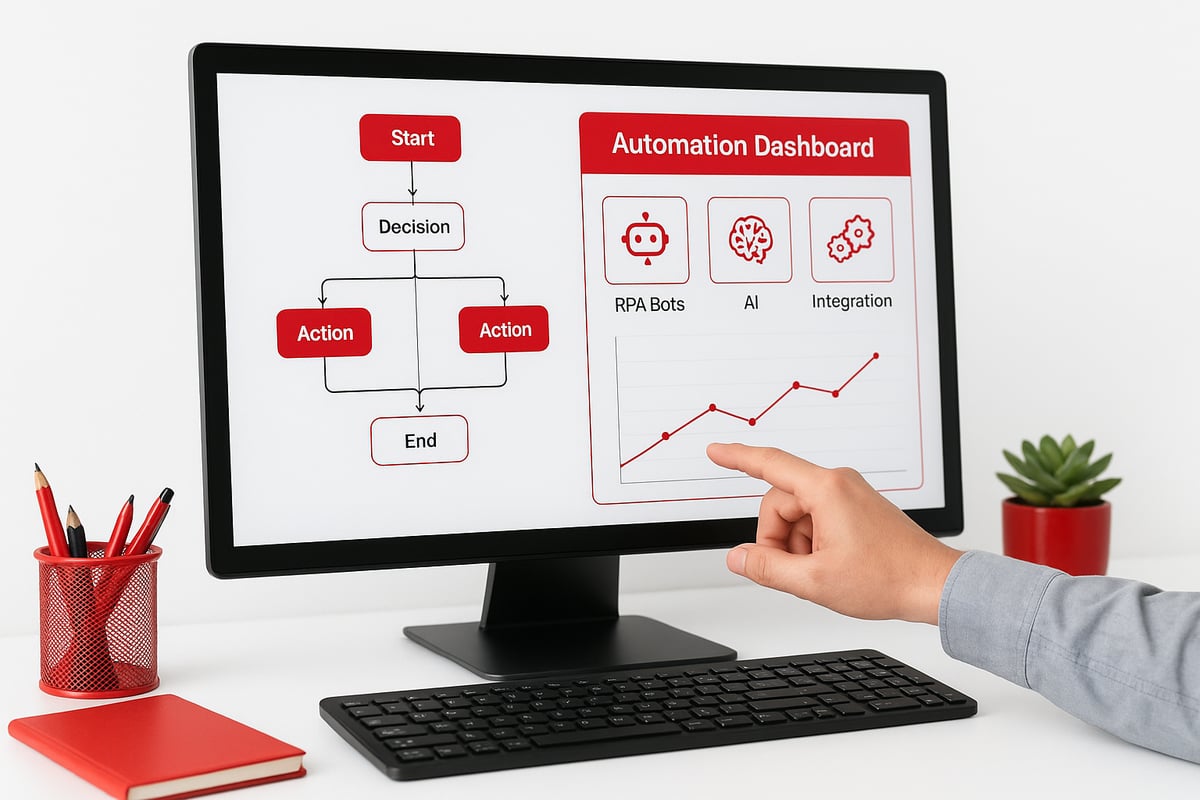
Robotic Process Automation, AI, and Machine Learning
Robotic Process Automation (RPA) uses software robots to mimic repetitive human actions. Imagine a robot copying data from one system to another, or generating daily sales reports—no coffee breaks needed. RPA is great for tasks like data entry, invoice processing, and pulling information from emails.
Artificial intelligence (AI) and machine learning take process automation a step further. These tools can analyze data, make decisions, and even handle exceptions. For example, an AI system might flag an invoice that looks suspicious or automatically categorize support tickets based on their content.
Here's a quick comparison of the main technologies:
| Technology | What It Does | Example Use Case |
|---|---|---|
| RPA | Repeats structured, rule-based tasks | Data entry, reporting |
| AI/Machine Learning | Analyzes data, makes decisions | Fraud detection, sorting |
| Workflow Platforms | Manages task sequences | Approvals, scheduling |
| API Integrations | Connects different apps | Syncing contacts |
Process automation with these tools helps service businesses reduce errors, speed up work, and focus staff on what matters.
Low-Code/No-Code Platforms and Integration Tools
You don't need to be a programmer to benefit from process automation. Low-code and no-code platforms let almost anyone build automations using drag-and-drop editors. These tools are especially useful for small teams without IT departments. According to Low-Code/No-Code Automation Platforms, this trend is making automation accessible to more businesses than ever.
Integration tools are the digital glue that connects your favorite apps. For example, you can link your CRM to your accounting software so customer info always stays up to date. Some platforms even let you set up automated reminders or trigger actions when something changes in one app.
Security and compliance are key. Always check if your automation tools offer encryption and follow industry standards, especially if you handle sensitive data.
Real-World Examples and Industry Solutions
Process automation is all about making things easier. For instance, you might use AI to scan documents and pull out key details, or set up a bot that automatically sends payment reminders when an invoice is overdue. Integration platforms can sync customer data, so you never have to enter it twice.
Competitors like Appian have built platforms that combine RPA, AI, and API integrations to handle everything from insurance claims to contract management. Many tools now offer industry-specific features, so you can pick solutions tailored to service businesses.
As process automation evolves, expect more flexible options and tools that can grow with your needs. The right technology can free your team from repetitive work and help you focus on delivering great service.
Step-by-Step Guide to Implementing Process Automation
Manual work slows down your team and leaves too much room for mistakes. If you're ready to make things easier, a clear approach to process automation will help you avoid wasted time and costly errors.
Here's a practical way to get started:

Spot the Repetitive Tasks
List out the manual tasks that take up most of your time. Are there delays, errors, or constant double-checks? These are prime candidates for process automation.Map the Current Workflow
Draw out how things work today. Use a whiteboard, sticky notes, or software. Highlight where things get stuck or where mistakes happen.Set Clear Goals
Decide what you want from automation. Is it to cut invoicing time in half, reduce missed appointments, or get paid faster? Concrete goals keep everyone focused.Research the Right Tools
Look into tools that fit your needs and work with your current systems. Compare features, costs, and support. If you want a deeper dive on practical steps and what to consider, check out this Automating a Business Guide.Start with a Small Project
Pick one process to automate first. Test it with real data, then measure the results. Did it save time or reduce mistakes?Train Your Team
Show everyone how the new system works. Answer questions and offer support. Make sure everyone feels comfortable with the changes.Monitor, Collect Feedback, and Tweak
Keep an eye on how things are running. Ask for feedback and adjust the automation if needed.Expand Gradually
Once the first process automation works well, add more. Build on your success, step by step.
Real-World Scenario:
Imagine a landscaping company that spends hours each week calling clients to confirm appointments. By using process automation, they set up automatic email and text reminders. Next, they automate billing and even feedback requests. The company saves hours each week, cuts down on no-shows, and gets paid faster.
Common Challenges to Expect:
- Staff may worry about learning new tools or losing their roles.
- Some apps might not work well together, causing integration issues.
- Training often takes longer than expected.
How to Overcome These Hurdles:
- Involve your team early and explain how process automation helps them focus on more meaningful tasks.
- Start with easy-to-use tools that work with your current software.
- If things get tricky, don't hesitate to get outside help.
According to Wikipedia, most successful process automation projects begin by mapping out current processes and spotting areas for improvement. Take it one step at a time and remember, the goal is to make work simpler and less stressful for everyone.
Real-World Examples of Process Automation in Service Businesses
Imagine trying to keep up with dozens of appointments, payments, and client requests every week. For many service businesses, process automation has turned this juggling act into a much smoother routine.
Real-World Service Business Examples
Here are a few ways service businesses are using process automation to save time and reduce errors:
Cleaning Service
A local cleaning company set up automated text reminders for appointments. This simple use of process automation cut no-shows by nearly half. Staff spent less time calling clients, and the business saw more repeat bookings.HVAC Company
An HVAC firm integrated job scheduling and invoicing. Now, when a technician completes a job, the system automatically generates an invoice and sends it to the customer. Payments come in faster, and office staff no longer have to chase paperwork.Consulting Firm
A consulting company automated client onboarding and document collection. New clients receive automatic emails with forms and upload links. This Customer Onboarding Automation approach has reduced admin time and made the process much smoother for everyone.Insurance Provider (Competitor Example)
Appian's automation tools help insurance teams process claims and manage contracts with fewer errors. This lets staff focus on complex cases instead of repetitive data entry.
Lessons Learned from Process Automation
Companies using process automation often report up to a 50 percent reduction in processing times. Revenue increases and error rates drop. Here are some key takeaways:
- Start with one high-impact task before expanding.
- Focus on processes that cause the most frustration or delay.
- Small businesses see just as much benefit as large organizations.
- Automation supports compliance by keeping records consistent and audit-ready.
The biggest lesson? You don't need a huge budget or a tech team to get started. Even simple automations can make a noticeable difference in your day-to-day work.
The Future of Process Automation: Trends and Predictions
Rapid changes in process automation are opening up new possibilities for service businesses. What felt futuristic just a short time ago is now within reach for companies of any size.
Artificial intelligence is taking a bigger role in decision-making. Today, process automation doesn't just handle simple tasks; it can review data, spot patterns, and suggest actions in real time. For example, AI can now flag unusual transactions or help schedule jobs based on predicted demand. According to recent projections, the Robotic Process Automation Market Growth is set to climb rapidly as more businesses rely on automation for efficiency.
We're also seeing a shift toward hyperautomation. This means combining several automation tools for a complete, end-to-end solution. Think of integrating scheduling, billing, and customer communication, all linked together. More employees are building their own automations using easy, no-code platforms. This lets teams solve problems quickly without waiting for IT support.
Customer interaction is changing, too. Chatbots and virtual assistants are handling bookings, answering questions, and guiding clients through processes. These tools are always available, delivering instant support. Self-service automation is now common, giving staff and customers more control and faster results.
The future of process automation also brings new challenges. Data privacy and security are front and center, especially as more sensitive information flows through automated systems. Regular employee training is needed, since tools and best practices change quickly. Advanced AI, like Agentic AI in Industrial Automation, is starting to handle exceptions and make complex decisions, but it requires careful oversight.
Here's how traditional process automation compares to what you'll see in the future:
| Traditional Use | Future Use Cases |
|---|---|
| Data entry | Predictive scheduling |
| Email reminders | Automated compliance checks |
| Basic reporting | Real-time analytics |
Industry reports point to process automation expanding into more business areas every year. Predictive tools can now suggest the best times for appointments, while automated compliance checks keep companies audit-ready. Real-time analytics help managers spot problems before they grow.
It's clear that process automation will become a standard part of running any service business. If you start small and focus on the most repetitive tasks, you'll be ready as new trends and technologies arrive.
Frequently Asked Questions
Got questions about process automation? Here are the answers service businesses want most.
What types of tasks can be automated in a service business?
You can automate routine jobs like scheduling, invoicing, payment reminders, and client onboarding. Data entry, appointment confirmations, and feedback requests are also common. Even manufacturers are using AI-driven process automation to handle repetitive work.How do I know if my business is ready for automation?
If you spend a lot of time on manual, repetitive tasks, or see too many errors from manual work, you're ready to start. Look for bottlenecks that slow your team down.Is process automation expensive to implement?
Costs vary, but many tools offer affordable monthly plans. Some even have free trials, so you can test before you commit.Will automation replace my employees?
Usually not. It shifts their focus to work that needs a human touch, like customer communication or creative problem-solving.How do I choose the right automation tool?
Check if the tool works with your current software, is easy to use, and fits your budget. Industry-specific solutions can make setup easier.What are the common mistakes to avoid when starting with process automation?
Don't try to automate everything at once. Start small, involve your team, and make sure everyone understands the changes.Can automation work with my existing software and systems?
Most modern platforms connect with popular accounting, CRM, and scheduling tools. Always check compatibility before buying.How long does it take to see results from automation?
Many businesses notice time saved and fewer mistakes within a few weeks or months. It depends on what you automate first.Are there risks to automating business processes?
Risks include technical glitches, data privacy issues, or choosing the wrong tool. Start with simple processes and review security features.Where can I get help or advice on business automation?
Look for vendors who offer demos, free resources, or consultations. Industry peers and online communities are also helpful.
You’ve just taken a deep dive into how process automation is transforming service businesses—freeing up your team, reducing errors, and giving you the space to focus on what matters most. If you’re wondering how ready your business is to take advantage of these benefits, you’re not alone. Assessing where you stand is the smartest first step before investing time or resources. I encourage you to discover your strengths and opportunities with a personalized assessment. It’s a quick way to see how close you are to a streamlined, automated future.
Get Your Automation Readiness Score
.png)
.png)