
.png)
You know that sinking feeling when your to-do list never gets shorter, and you’re stuck copying data from one place to another? It’s frustrating, and you’re not alone.
Choosing a workflow automation platform can change how you handle everyday tasks. The right platform helps you save time, avoid small mistakes, and makes sure your team stays ahead.
In this article, you'll discover seven features that set the best platforms apart. These essentials can turn everyday headaches into smooth, efficient routines.
Why Workflow Automation Matters
Repetitive tasks can drain energy and time. Many teams spend hours on manual data entry, chasing missed deadlines, or fixing duplicated efforts. These daily hassles slow down progress and make work feel tedious.
A workflow automation platform tackles these problems head-on. According to recent surveys, companies using automation see a significant drop in errors and wasted hours. In fact, one study found that teams reported up to a 30% boost in productivity after adopting automated solutions.
What does this look like in real life? Imagine invoice processing that happens automatically, lead follow-ups triggered the moment a new contact enters your system, or scheduling that syncs across calendars without a single email back and forth. These are just a few ways a workflow automation platform changes the game.
Here's how automation helps:
- Reduces time spent on repetitive, manual tasks
- Minimizes mistakes by standardizing processes
- Ensures deadlines aren't missed with automatic reminders
- Keeps data consistent across multiple apps
Security matters, too. Many businesses handle sensitive information, like customer details or financial records. The right workflow automation platform offers built-in controls, so only authorized users can access critical data. Audit trails and compliance features give peace of mind, especially for teams in regulated industries.
Another big advantage? Teams can focus on meaningful work instead of getting bogged down by routine chores. Instead of copying data from one system to another, staff can tackle creative projects or solve customer problems.
Early adopters of automation often pull ahead of competitors. They respond faster, avoid costly mistakes, and adapt more quickly to new demands. User-friendly, no-code platforms are making it easier than ever for non-technical employees to build and manage their own workflows. If you're curious about the basics and benefits, Workflow Automation Explained covers the essentials in depth.
Choosing a workflow automation platform is about more than just saving time. It's about freeing your team, reducing risk, and staying ready for whatever comes next.

7 Essential Workflow Automation Platform Features
Choosing a workflow automation platform can feel daunting. Not all solutions are created equal, and the right features make a massive difference in daily work. Here’s a closer look at the seven essentials you should expect from any top-tier workflow automation platform.

1. [AI-Powered Process Mapping]
AI-powered process mapping is where any advanced workflow automation platform truly shines. Process mapping means visually laying out every step in a task or project, making it easy to spot inefficiencies.
With AI in the mix, you don’t just see steps. The platform learns from your data, identifies bottlenecks, and points out where things slow down. It even suggests improvements, like removing unnecessary approvals or combining duplicate steps.
For example, imagine onboarding new hires. Instead of manually plotting each step, the workflow automation platform automatically builds the map based on past hires. It flags slowdowns, such as delays in IT setup, and recommends fixes.
This is a game-changer for both tech-savvy users and those who just want things to work. No specialist knowledge required. Data shows that platforms with AI mapping can reduce setup time by up to 40 percent.
Most top solutions also let you connect your process maps with existing documentation tools, so nothing gets lost between diagrams and daily work.
- Maps out every step visually
- AI finds and fixes slow spots
- Works for experts and beginners alike
- Connects with your existing documents
Whether you’re managing HR, finance, or sales, an AI-driven workflow automation platform makes mapping and improving processes effortless.
2. [Universal Integration Capabilities]
A workflow automation platform isn’t useful if it can’t connect your favorite tools. Universal integration capabilities mean you can link up CRMs, ERPs, email systems, chat apps, and more—all in one place.
The best platforms offer both pre-built connectors and options for custom API integrations. Pre-built connectors are ready to use, saving you time. Custom APIs let you build exactly what you need, perfect for unique business requirements.
Popular integrations include:
- Slack
- Salesforce
- QuickBooks
- Google Workspace
Picture this: you update a customer record in your CRM, and your email and marketing tools update automatically. No more copy-pasting or manual updates. This is where a workflow automation platform saves hours and prevents mistakes.
Low-code and no-code integration builders are on the rise. Instead of coding, you drag and drop connections. This trend reduces the workload for IT teams and empowers everyone to connect their own tools.
Want to learn more about smart integration strategies? Check out Automation and Workflow Best Practices for practical tips.
Integrations are the backbone of any workflow automation platform. Check if your must-have apps are supported before committing.
3. [Real-Time Analytics and Reporting]
Real-time analytics means you always know what’s happening in your workflow automation platform. You see process status, performance, and issues as they occur—not days later.
Instant visibility is powerful. If support ticket resolution times spike, you’ll know right away. Customizable dashboards let you track what matters most, from sales to compliance.
Many platforms offer scheduled reports, so you get updates automatically. This helps with audits, compliance, and catching small problems before they grow.
Did you know that 68 percent of users say real-time reporting helps them spot issues faster? That’s a huge advantage.
- Live dashboards for quick checks
- Custom reports for your needs
- Scheduled updates to keep teams in sync
In regulated industries, tracking every step is critical. A workflow automation platform with real-time analytics gives you peace of mind and keeps your team ahead.
4. [Advanced Security and Compliance Controls]
A workflow automation platform handles sensitive data every day. Think employee details, customer records, financial transactions, and more.
You need built-in encryption to keep data safe. User access controls let you decide who sees what. Audit trails record every action, so you always have a record.
Top platforms follow strict standards, like GDPR, HIPAA, and SOC 2. For example, if someone tries to access data they shouldn’t, the platform sends an alert right away.
In industries like healthcare and finance, this isn’t optional. Look for features like:
- Role-based permissions
- Multi-factor authentication
- Automated compliance tracking
A workflow automation platform with strong security means fewer headaches and less risk for your business.
5. [Customizable Workflow Templates]
Templates are a lifesaver when you want to get started fast. A workflow automation platform should offer ready-made templates for common tasks, like expense approvals or leave requests.
You can tweak these templates to fit your team or project. Many platforms have libraries with industry-specific options. No need to start from scratch every time.
For example, use a templated approval flow for expense reports. Adjust it for your company, then share it across departments.
- Clone, edit, and share templates
- Save time on setup
- Get inspired by what works for others
User feedback consistently shows that templates can cut implementation time in half. It’s a must-have for any workflow automation platform.
6. [Intuitive, No-Code User Interface]
No-code means anyone can build and edit workflows, not just IT pros. A workflow automation platform with a drag-and-drop builder or visual editor lets you create processes in minutes.
Picture this: you need a leave request workflow. Instead of waiting for IT, you drag steps into place and launch it yourself.
This approach helps with onboarding and training. New users pick it up quickly, and there’s less need for support.
- Drag-and-drop builders
- Visual editors for clarity
- Built-in tutorials and community support
A recent trend shows that 70 percent of new users prefer no-code tools. If a workflow automation platform makes sense to everyone, adoption is a breeze.
7. [Scalable Automation and Performance Monitoring]
As your business grows, your workflow automation platform needs to keep up. Scalability is key.
Look for features like load balancing, job queuing, and auto-scaling. These help the system handle busy times, like seasonal order spikes.
Performance monitoring tools track how well automations run and flag any failures. If something goes wrong, you get an alert right away.
- Track automation success rates
- Monitor system health and resource use
- Get alerts for failed tasks
Studies show that scalable platforms reduce downtime by 30 percent. This means less disruption and more reliability.
A workflow automation platform that grows with you is an investment in your team’s long-term success.
Choosing the Right Platform: Key Considerations
Selecting a workflow automation platform can feel overwhelming with so many choices. To make things easier, focus on the essentials that fit your team’s needs.
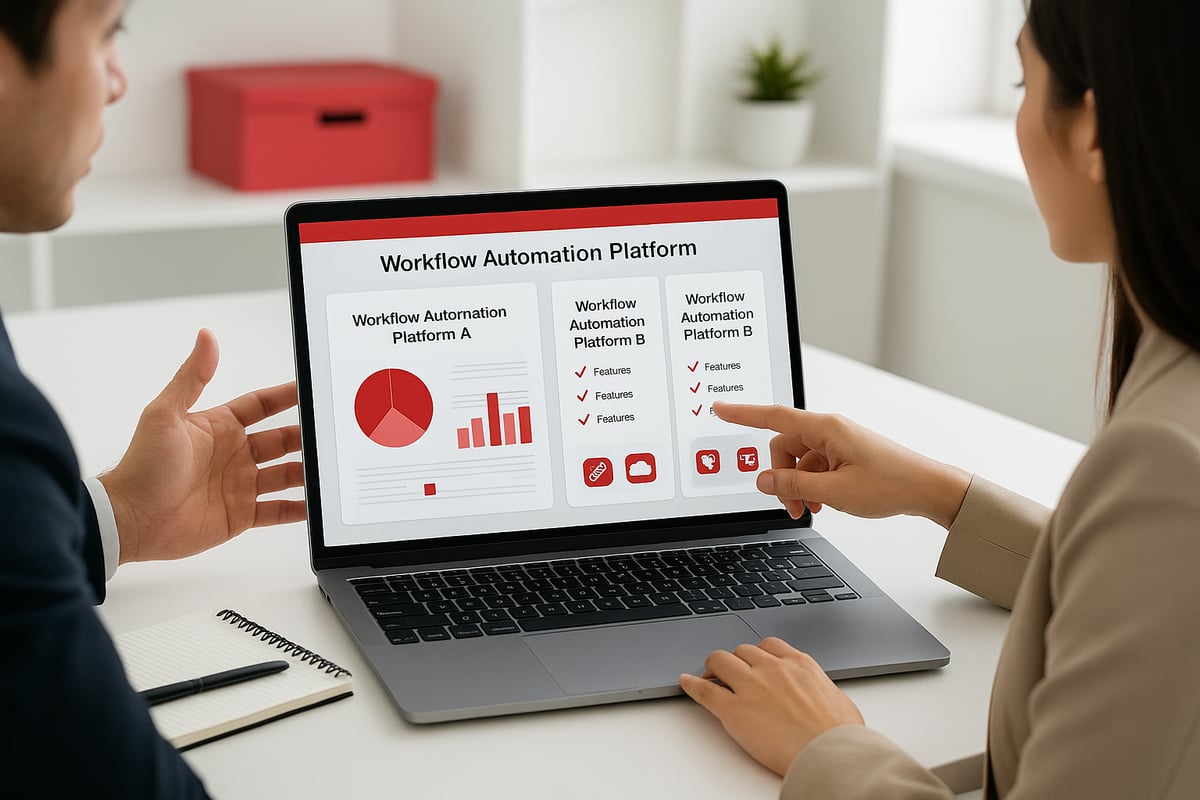
Start by looking at key factors:
- Pricing that matches your budget and growth plans.
- Reliable customer support and easy-to-access help resources.
- An interface that’s simple for your team to use.
- Integration options for your existing software.
It helps to match the workflow automation platform to your company’s size and the complexity of your processes. A small team might want something lightweight, while a larger organization could need more advanced features. For more details on evaluating choices, the Business Process Workflow Software Guide is a helpful resource.
Vendor support matters, especially when you run into questions. Check if there’s an active user community, helpful documentation, and responsive support channels. These can make a big difference as your team gets started.
Here’s a quick checklist to guide your decision:
- Does the platform offer the must-have features you need?
- Can you test it with a free trial or demo?
- What do real users say in reviews?
- Is it easy to customize and adapt as your needs change?
Involve both IT and the people who’ll use the workflow automation platform every day. Their feedback will help you spot gaps and avoid surprises later. Finally, make sure the platform can grow with you, so you’re not switching tools as your business evolves.
FAQs
What is workflow automation and who benefits most?
A workflow automation platform helps automate business tasks, like approvals or data entry, saving time and cutting errors. Anyone from small business owners to large teams can benefit. For a deeper look, see What is Workflow Automation.How do AI-powered features improve automation platforms?
They spot bottlenecks, suggest faster routes, and adapt to changes, making processes smoother for everyone.Are no-code tools secure enough for sensitive business processes?
Yes, top platforms have encryption, access controls, and regular audits to keep your data safe.Can automation platforms work with legacy software?
Many offer connectors or APIs to sync with older systems, reducing manual work.What’s the difference between templates and custom workflows?
Templates are pre-built processes you can use right away. Custom workflows let you design your own from scratch.How do I know if my business is ready for workflow automation?
If you repeat tasks, face delays, or want fewer errors, it might be time to try a workflow automation platform.What support options should I look for in a platform?
Check for live chat, help centers, user forums, and training resources to get help when needed.

After exploring these seven essential features, it’s clear that choosing the right workflow automation platform can help you reclaim your time, minimize errors, and set your business up for future growth. If you’re wondering where your company stands or how ready you are to embrace automation, why not take the next step? You can get a personalized assessment that pinpoints your strengths and opportunities, so you know exactly what to focus on as you move forward.
Get Your Automation Readiness Score
and discover how to transform your operations with confidence.
.png)
.png)