
.png)
Ever feel buried under a mountain of IT tasks that never seem to end? Maybe you spend hours on password resets, software updates, or tracking tickets, only to find mistakes slipping through. If so, you are not alone.
This guide will show you how to automate it software so you can save time and cut down on errors. You will see how the right approach can help you work smarter, not harder.
Here’s what to expect: you will learn the benefits of automation, how to pick the right tools, a step-by-step process anyone can follow, top software options, and answers to the most common questions. Ready to see real change? Let’s get started.
Why Automate IT Software?
Feeling bogged down by the same IT chores every week? If you’re tired of manual updates and chasing errors, you’re not alone. Let’s look at why so many teams choose to automate it software instead of sticking with old routines.

The True Cost of Manual IT Tasks
Manual IT work eats up time and patience. Repetitive chores like data entry, system monitoring, and reporting often take over 20 hours a week for small businesses. That’s time lost on growth or solving real problems.
Mistakes sneak in easily during manual tasks, leading to downtime or even security gaps. Over 65% of IT professionals say manual work causes delays and headaches, according to IT Automation: Key Statistics and ROI Insights.
If you automate it software, you’re not just saving time—you’re reducing risk and frustration.
Benefits of Automation
Switching to automation means fewer errors and more reliable results. When you automate it software, you get:
- Consistent processes, every time.
- Faster response to incidents and requests.
- More hours for bigger projects.
One real example: after automating help desk tickets, teams saw their response time cut in half. That’s more satisfied users and less stress for everyone.
Who Needs IT Automation?
Wondering if it’s time to automate it software in your workplace? It’s a good move if you’re:
- An IT manager with a growing list of tasks.
- Part of a small team juggling many roles.
- Running a service company and want to handle more clients without hiring extra staff.
Automation helps you do more with less, without burning out your team.
Challenges to Expect
Before you automate it software, be ready for some hurdles:
- Upfront effort for setup and training.
- Staff may be hesitant to change their routines.
- You’ll need clear guides and documentation.
These challenges are real, but most teams find the benefits quickly outweigh the initial effort.
How Automation Supports Security & Compliance
Automating IT tasks isn’t just about speed. It helps keep your data safe and your business compliant.
- Automated patching closes security holes fast.
- Logging and audit trails are handled without extra work.
- Backups run on schedule, reducing the risk of data loss.
With these features, automation gives you peace of mind while freeing up your time.
Key Features to Look for in IT Automation Software
Choosing the right features in your effort to automate it software makes a big difference. Let's break down what to look for so your team gets the most value and avoids common headaches.

Integration Capabilities
Strong integration is a must when you want to automate it software. Your automation tool should connect easily with existing apps, like your CRM, help desk, or cloud storage. This lets you set up workflows that move info between systems without manual steps.
For example, linking your ticketing system with inventory management means you can update stock levels as requests come in. For more tips, check out workflow automation best practices.
User-Friendly Interface
A user-friendly platform helps everyone get started faster. Look for drag-and-drop builders or clear visual tools. You shouldn't need coding skills to automate it software, especially for routine tasks.
Simple menus and guided setup can help your team create workflows without confusion. This means less time learning and more time actually using the tool.
Scalability and Flexibility
As your business grows, your needs change. The best tools to automate it software handle more data and users without slowing down. They also let you adjust workflows or add custom steps for different teams.
A scalable solution keeps up with your pace and adapts to new challenges. Flexible options mean you won't outgrow your software next year.
Security and Permissions
Protecting sensitive data is critical. Choose tools with role-based access, so only the right people can run or edit specific automations. Look for built-in encryption and compliance checks.
Detailed permissions prevent accidental changes or data leaks. You'll feel more confident knowing your automations are locked down.
Real-Time Monitoring and Alerts
Immediate feedback is key when you automate it software. Your platform should send alerts for errors, completed jobs, or system issues right away.
For example, instant notification if a server goes offline lets you jump into action before users notice. Real-time dashboards help you keep tabs on everything.
Reporting and Analytics
Good automation software tracks what’s working and what’s not. Dashboards should show time saved, tasks completed, and where slowdowns happen.
Use these reports to spot bottlenecks and improve your automations. Clear analytics make it easier to show value to your team or leadership.
Support and Documentation
Even the best tools need support sometimes. Pick a vendor with responsive help and thorough guides. Training videos, FAQs, and step-by-step instructions make onboarding easier.
Quality documentation means less downtime if you hit a snag. Fast support helps you get back on track quickly.
Cost and Licensing
Transparent pricing avoids surprises. Look for clear licensing, with details on what's included. Many vendors offer free trials or demos, so you can test before you commit.
Choose a plan that fits your budget and scales as you automate it software for more of your business.
Step-By-Step Guide to Automating Your IT Workflow
Feeling unsure where to start with automation? Here’s a straightforward path to help you automate it software for your IT team—no jargon, just practical steps and real examples.

Map Out Your Current Processes
Start by listing every daily, weekly, and monthly IT task. Include things like password resets, software updates, or onboarding new users. Use a whiteboard or spreadsheet to capture each step. This helps you see where you spend the most time. When you automate it software, having a clear map makes it easier to spot what to tackle first.
Prioritize Automation Opportunities
Not all tasks are equal. Rank each task by how much time it takes and how often errors happen. Focus on high-impact items first. For example, if manual ticket assignment is slow or causes mistakes, put it at the top. By targeting the right tasks, you get more value when you automate it software.
Choose the Right Automation Software
Look for tools that fit your needs and work with your current systems. Make sure they offer integration, user-friendly design, and strong support. If you want more guidance, check out this step-by-step automation process for practical tips. Picking the right tool is a big part of how you automate it software successfully.
Build and Test Your First Automation
Start simple. Set up an automation like auto-assigning tickets or sending alerts when a server goes offline. Run tests with your team to catch issues before going live. Keep the first workflow straightforward so everyone understands how it works.
- Tip: Document each step so you can fix or improve it later.
- Involve at least one team member in testing for feedback.
Train Your Team
Show everyone how the new automation works. Use short guides or videos. Encourage questions and give hands-on demos. When you automate it software, a little training goes a long way to avoid confusion and boost confidence.
Monitor, Measure, and Tweak
Watch how the automation performs. Use built-in analytics to track time saved and errors avoided. Ask for feedback from your team. If a process feels clunky, adjust it—maybe remove a step or add an alert. Regular tweaks ensure your automation stays helpful.
Expand Automation Over Time
Once the basics are running smoothly, look for more tasks to automate. Stay up to date with new features in your software. Automate password expirations, backup schedules, or regular system checks. Move at your own pace, adding new automations as your team gets comfortable.
Top IT Automation Software Tools
The search for the right automate it software can feel overwhelming. There are many options, each with unique strengths. Let's break down the main categories to help you find a good fit.
Leading All-in-One Platforms
If you want a single solution to automate it software across your whole IT department, all-in-one platforms are worth a look. These tools bundle features for ticketing, patch management, monitoring, and more. Popular names include ConnectWise Automate, ManageEngine, and Atera. For advice on evaluating these tools, check out Choosing automation solutions.
You get centralized dashboards, built-in integrations, and strong support. All-in-one platforms are great for teams seeking full coverage with minimal hassle.
Specialized Tools for Small Businesses
Not every business needs a giant suite. Smaller teams often prefer focused automate it software that covers specific needs, like ticketing or backup automation. Tools like Freshservice and NinjaOne offer affordable packages with core features and simple onboarding.
Look for software with easy setup, clear pricing, and responsive customer support. Specialized tools help small businesses automate routine work without a steep learning curve.
Open Source and Customizable Solutions
Some teams want total flexibility. Open source automate it software, like Ansible or Rundeck, gives you freedom to customize automation scripts and workflows. These tools are usually free and supported by active user communities.
The tradeoff is more hands-on setup and maintenance. If your team has coding skills and unique needs, open source can be an excellent way to tailor automation to your environment.
Cloud-Based vs On-Premise Options
Choosing between cloud-based and on-premise automate it software can affect security, cost, and accessibility. Cloud platforms let you manage IT tasks from anywhere and reduce hardware costs. On-premise options keep all data in-house, which some companies prefer for compliance.
Here's a quick comparison:
| Feature | Cloud-Based | On-Premise |
|---|---|---|
| Setup | Fast, remote | Local install |
| Cost | Subscription | Upfront |
| Security | Vendor managed | Self managed |
Think about your team's access needs and data policies before choosing.
Integration with Existing Systems
The best automate it software fits right in with your current stack. Look for tools that connect easily with your CRM, help desk, or cloud storage. For example, syncing tickets between your support platform and inventory system saves time and reduces errors.
Always check for pre-built integrations and API support. Smooth integration helps you get more value from every tool you use.
Adhesion Co.: Automating Lead Management for Service Businesses
Adhesion Co. stands out for service businesses that need automate it software for sales and lead management. Their system captures, qualifies, and routes leads automatically, so nothing slips through the cracks.
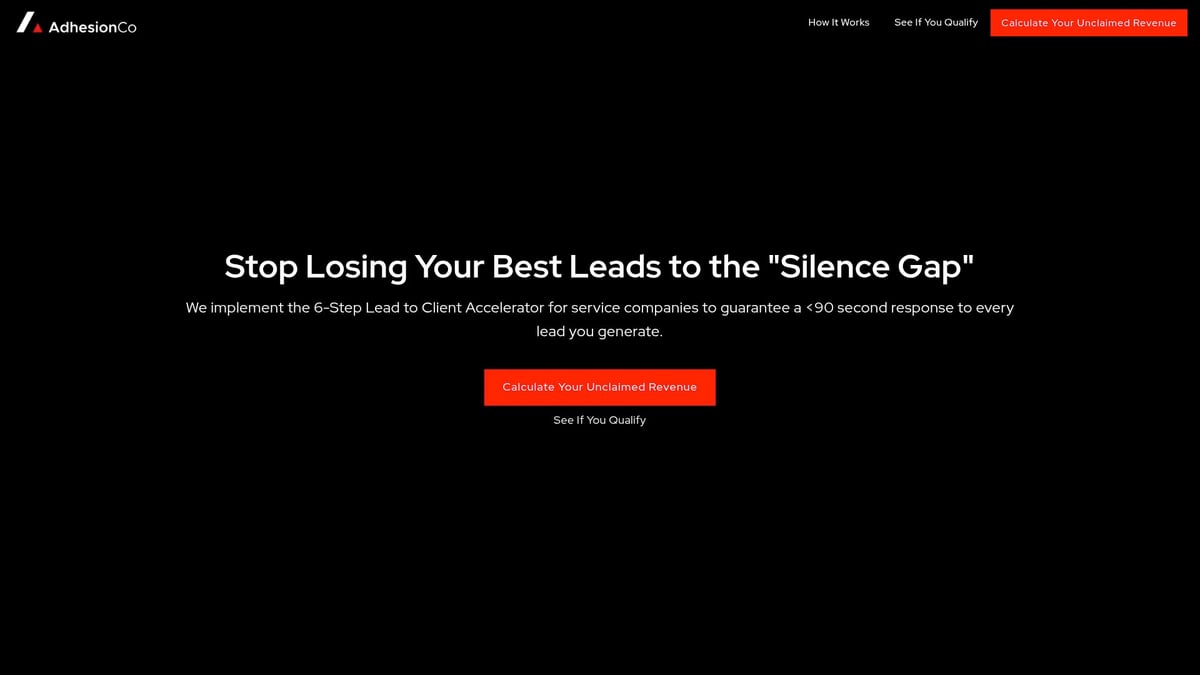
Features include instant lead response, seamless CRM integration, and real-time alerts. Adhesion Co. is a smart pick for fast-paced teams who want reliable follow-up and clear sales tracking.
Measuring the Impact of IT Automation
Tracking the impact when you automate it software helps you see if your investment is paying off. Clear metrics show where you're saving time, reducing errors, and improving response times. It's helpful to measure both numbers and team experiences to get a full picture.
Key Metrics to Track
To know if you automate it software successfully, focus on measurable results:
- Time saved on routine jobs (like ticket handling or backups)
- Fewer errors and less downtime
- Faster incident response
For example, a help desk team might resolve 30% more tickets after automation. According to the Enterprise Automation Index 2025, most IT teams report shorter delays and smoother processes after rolling out automation.
A simple table can help you keep an eye on progress:
| Metric | Before Automation | After Automation |
|---|---|---|
| Avg. Ticket Response | 1 hour | 30 minutes |
| Monthly Errors | 10 | 2 |
| Downtime Incidents | 4 | 1 |
Employee and Customer Satisfaction
When you automate it software, your team feels less stressed. Repetitive tasks no longer eat up their day, which means less burnout. End users also notice quicker service.
Surveys often show IT teams are happier and more engaged after automation. Customers appreciate faster fixes and more accurate responses, so satisfaction scores go up.
Cost Savings and ROI
You want to know if automating really saves money. When you automate it software, you usually see:
- Lower labor costs (fewer overtime hours)
- Fewer expensive outages
- Less need for hiring to cover repetitive work
For instance, one company saved $10,000 a year after automating their backup process. Over time, these savings add up, letting you invest in other priorities.
Continuous Improvement
Automating is not a one-and-done task. Review your processes regularly, and update your automations to match new needs. The Business process automation insights resource is helpful for finding ways to keep improving your setup.
Stay open to feedback from your team. Small tweaks can make a big difference in efficiency and reliability.
Common Pitfalls to Avoid
Watch out for these common mistakes:
- Trying to automate tasks that are too complex
- Skipping team training or missing documentation
- Not checking for errors or exceptions
Keep monitoring your systems, and always have clear guides so everyone knows how the automation works.
Frequently Asked Questions
Get quick answers about how to automate it software. These are the most common questions IT professionals and business owners ask when starting out.
What is IT automation software?
IT automation software is a tool that lets you set up rules and workflows so routine tasks run on their own. For example, it can handle things like software updates, backups, and ticket assignment without manual work.
How do I know if my business is ready to automate it software?
If your team spends hours on repetitive IT tasks, or errors often creep in, it's time to consider automate it software. Even small teams can benefit, especially when workloads grow.
Can automation replace IT staff?
No, automate it software is designed to support your team, not replace them. Automation handles repetitive work, so your staff can focus on bigger problems. According to Gartner's AI Impact on IT Work by 2030, automation will change job roles but not make IT staff obsolete.
How long does it take to set up automate it software?
Setup time varies. Simple automations can be running in a few hours, while full systems may take days or weeks. Start small, test, and expand as you learn what works for your environment.
Are there risks to automating IT processes?
Yes, but most are manageable. Risks include misconfigured workflows or missing exceptions. Always review and test automations before using them in production.
How do I choose between cloud-based and on-premise tools?
Cloud-based automate it software is easier to update and access from anywhere, while on-premise tools may offer more control over data. Consider your security needs, budget, and IT environment.
What kind of support do automation vendors provide?
Most vendors offer email, chat, or phone support. Look for detailed guides, video tutorials, and active user communities when picking automate it software.
How do I measure the success of my automation efforts?
Track metrics like time saved, reduced errors, and faster ticket resolution. Research like ITBench: Evaluating AI Agents in IT Automation highlights how benchmarks can help you see real results from automate it software.
Can automation help with compliance and security?
Yes, automate it software can schedule regular updates, log changes, and run security checks. This makes audits easier and lowers the risk of missed patches or lost data.
What are the most common mistakes when starting with automate it software?
- Trying to automate everything at once
- Skipping documentation
- Not training your team
- Forgetting to monitor results
Start small, document each step, and check progress often.
Now that you’ve seen how automating IT software can save time, reduce errors, and help your business scale, it’s clear that the right tools can truly transform your workflow. Whether you’re ready to tackle repetitive tasks or want to boost team productivity, starting your automation journey doesn’t have to be overwhelming. If you’re wondering where to begin or how to choose solutions that fit your unique needs, we’re here to help you take that first confident step.
Start Your Automation Journey
Let’s make your operations more efficient together.
.png)
.png)